Windows 10 Sync Settings | How and Why
It’s a common thing that you use two or more PC’s and you have to repeat your passwords each time you move on from one to another, isn’t it? If you save your password in one PC and want it to be saved in all your PC’s, then Microsoft might have created ‘Windows 10 sync settings’ for you!


What is Windows 10 Sync Settings
Windows 10 sync is a system that keeps tracks of your preferred settings (Like passwords, browser setting, notification preferences etc.) in any of your Windows 10 devices and set them in all your windows 10 devices you want to be in sync. You can sync settings like Theme, passwords, Internet Explorer settings, Language preference, Printers and mouse options, File explorer settings etc.
How to sync windows 10 settings:
Easy! Follow the following simple steps and get synchronized with any of your devices using windows 10.
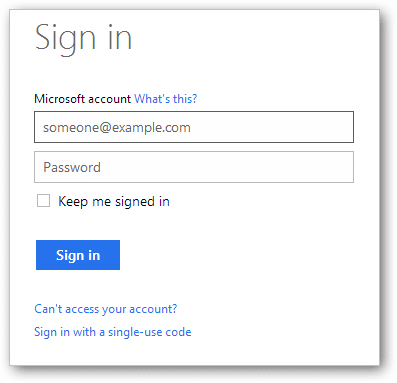
1. First of all, you have login into your Microsoft Account on every windows 10 devices with the same Microsoft account. To log in, go to Settings -> ACCOUNTS -> ‘Sign in with a Microsoft account’. If already logged in, you can’t see this option. If you don’t have a Microsoft account, then go to Microsoft Official Site and create one.

2. In Windows-10, the sync setting option is under Account group. To find this, go to Settings -> ACCOUNTS -> Sync your settings.

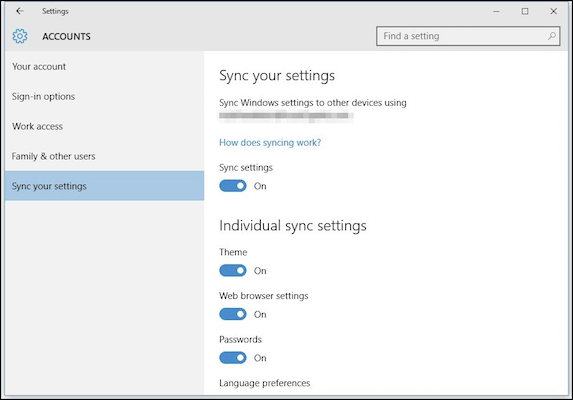
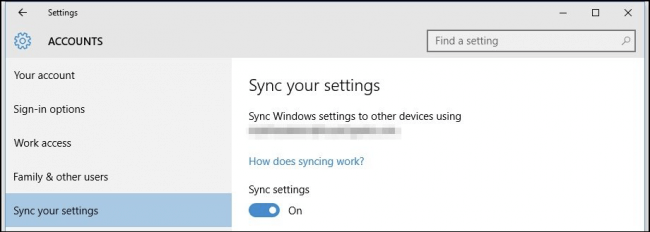
3. Then you have to simply turn ‘Sync settings’ on. Later, you can choose which settings you like to be in sync individually. If you don’t love this feature (!) just turn it off!

4. Now you can choose the individual setting you want to be synced. If you want to sync your PC’s Background color, Themes across all your Windows 10 devices, then just simply turn this on.

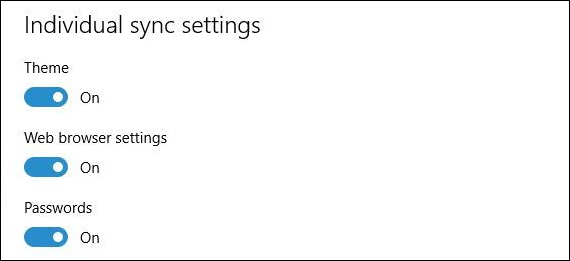
5. Turning ‘Web browser settings’ on sync your Edge browser’s bookmark, theme, login, history, cookies etc.
6. If you turn on your Passwords settings, then windows 10 will sync any saved password in your PC.
7. If you are a multilingual person (!) then turning on Language preference is a good option.


8. There is an option in Windows 10 called ‘Ease of access’.

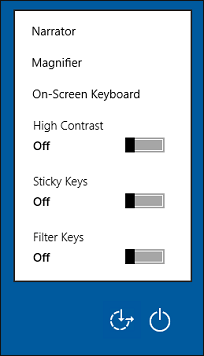
You can sync these settings by turning ‘Ease of access’s on.

9. Turning on ‘Other Windows settings’ sync windows accents, taskbar positions etc.

Benefits of ‘windows 10 sync settings’:
- Windows sync settings feature is a great feature in Windows 8.1 and later versions. If you make your sync settings on, then it will be a kind of thing that makes you feel all your windows 10 devices same!
- When you are in office, your office PC’s background color, theme, browser outlook, login tracks, history all remains same as your Home PC.
- Those who have to use more than one PC’s or like same type devices, this feature of Windows 10 make their usage more user-friendly.
- It’s too helpful for them who need to use their other devices (Like PC’s, mobile phones, Tabs) information like browser history, browser cookies, login passwords etc.
- In other words, it made the shifting from one Windows 10 device to another windows-10 device easier.
- It can save your time as you don’t have to repeat your preferred settings on all your Windows 10 devices. As well as, it is much boring to repeat the same task again and again! Windows 10 sync setting is here to get you rid from this!
Windows-10 sync setting is a great feature of windows 10 that makes your Windows 10 devices more user-friendly, saves your time and makes your setting related tasks done at a glance across all your Windows 10 devices. It has no risk of the security issue and you can fix which settings to be synced. If you are a Windows 10 user and have not used this feature yet, then why not turn this awesome feature on today!
Subscribe to our newsletter
& plug into
the world of technology