10 Cool Windows 10 Features | Updated
Microsoft has brought some changes in their latest version of Windows OS, Windows 10. They have added some significant features. If you are a ‘windows 10’ user, you can go through this article as some cool Windows 10 features will be described here.

1. Freeing up Disk space
It is a common thing that you often forget to clean up your Recycle Bin. If your Hard Drive capacity is not high or you don’t clean up your Recycle Bin in a regular interval, then you may have to face problems. Windows 10 has brought this awesome feature to get you rid off this problem. You need not be clean up your Recycle Bin, Windows 10 just need your confirmation to clean up those unused files!
How to Set Automatically Free Up Disk Space in Windows 10
If you want to enable this feature, Go to Setting -> System -> Storage and Turn on Storage Sense. It will automatically free up your disk space the files you don’t actually need like the temporary files and content in recycle bin and the files you don’t have edited science last 30 days in your download folder.

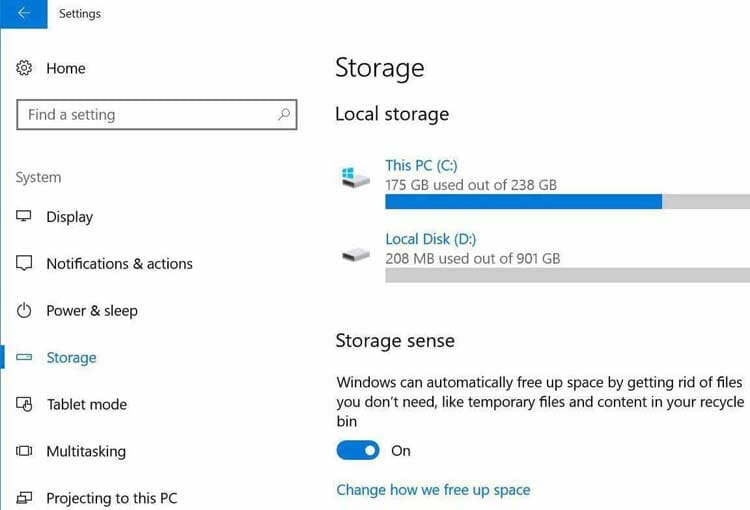
Benefits of this feature:
- Simply you don’t have to clean up your unused files manually, System will do it for you.
- If you think this feature can clean your important file, then you can be sure it will never happen. The system will clean up your unused or temporary files like Files in Recycle Bin more than 30 days.
- It will surely make your PC’s performance faster.
Windows 10 have an issue related to storage problem we have covered this issue in details. what is storage problem and how to fix it.
2. Metered Ethernet connection
When you use a limited data plan like a mobile hotspot or a satellite connection that has a data limitation, then this feature can help you. Windows won’t download its update when you are in a data limitation mode except any critical bug found. You can also use this feature when you use a physical Ethernet cable. Windows 10 won’t update until you tell it to update or make your internet connection unmetered.
How to Enable Metered Ethernet Connection in Windows 10
If you want to enable metered ethernet connection, Go to Settings -> Network & Internet -> Ethernet, then choose your Ethernet connection and Turn ‘Set as metered connection’ on.

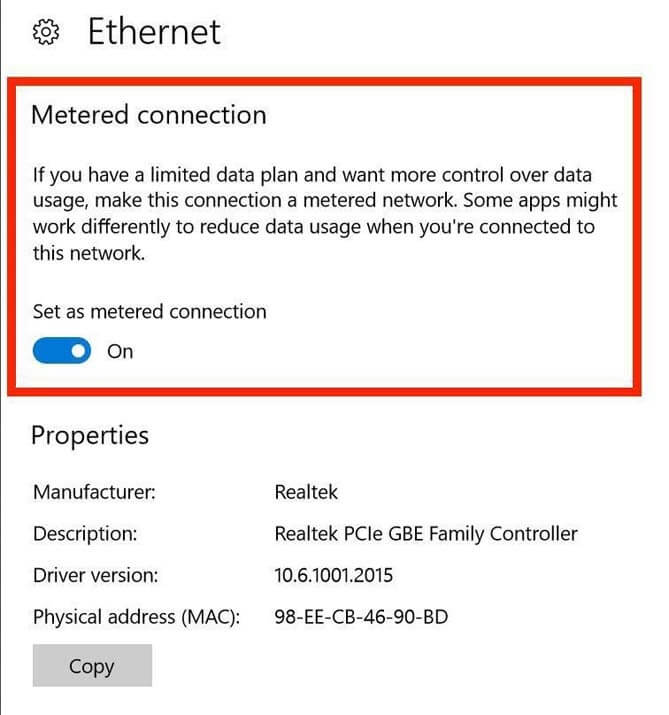
Benefits of this feature:
- This feature will make your limited data connection secured.
- Windows Update is totally in your control now.
- Somehow Updating windows without your permission in wrong time can make your PC’s performance slow.
3. App installation choice
At last, Microsoft has added the option to choose the source of apps installation like Apple’s book. It happens many times that you are browsing Internets and a new app is starting to install, although you do not want it to be. In Windows 10, you will find this awesome feature to prevent this type of unwanted situation. Windows 10 wants to know whether you want to install an app from third-party or everywhere or only from their store. Even you can get a warning if you want to install a third-party app.
If you want to enable this feature, Go to Settings -> Apps -> Apps and features and you can choose from where you want to install apps, like from anywhere, only from windows store or from somewhere else, but get a warning if they are from outside of the store.
To sync your pc settings to all your windows 10 devices you can learn more How to sync windows 10 settings

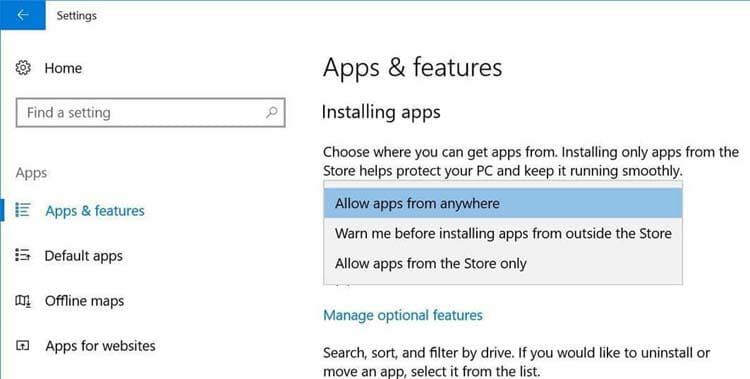
Benefits of this feature:
- It will prevent a situation like installing a third-party app without your confirmation.
- Your PC will be more secure as any risky third-party app can’t be installed, at least they will give a warning before installation.
- When you select Only from the windows store, installing any apps from windows store won’t harm your PC’s system.
4. Smarter Start Menu
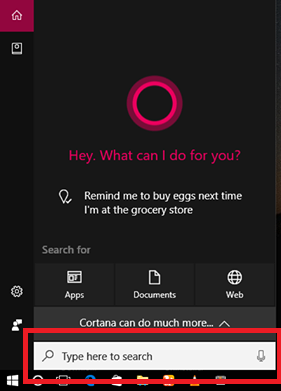
Microsoft changed Start Menu in Windows 8 but in windows 10, smarter Start Menu has appeared. You will find your most-used shortcuts. You can search for any app in the search bar as soon as you open the Start Menu. You can see all your apps by clicking ‘All apps’. You will find the new personal voice assistant Cortana great. You have to just tell Cortana what information you need, Cortana will collect it for you. I really love this windows 10 feature.
You have to simply press Windows button to find Start Menu and there you will find Cortana.

Benefits of this feature:
- You can set reminders, calendar events using Cortana, but you have to sign in to your Microsoft account first.
- Searching for your PC is now easier.
- You can search through the internet, just tell Cortana what to be searched.
here learn how to uninstall Cortana, if you think this is bothering you.
5. Managing Multiple Desktops
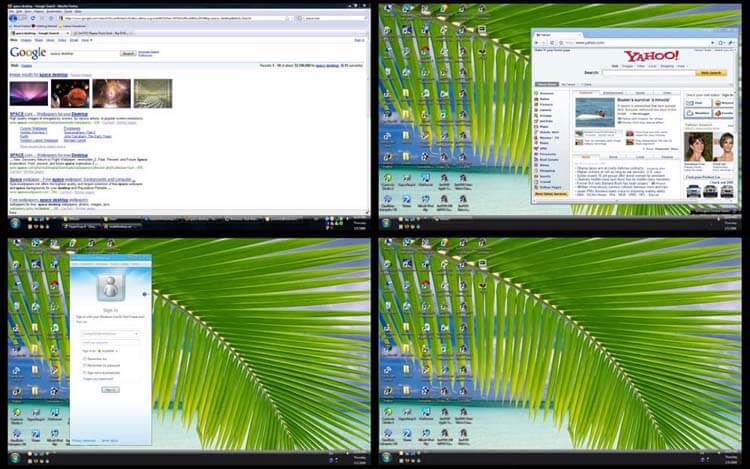
Running several apps at a time is a great feature of windows. However, when running too many apps, these features can help you. Microsoft has added this feature to add and manage multiple windows. It won’t so much help when you run fewer apps, but it will be helpful when you run too many apps at a time.
Press (Windows+Tab) and your running apps will appear on the display.

Benefits of this feature:
- You can see all your running apps at a glance.
- You can open or close a running app easily.
- You can add more Tabs.
6. Central Notification Center
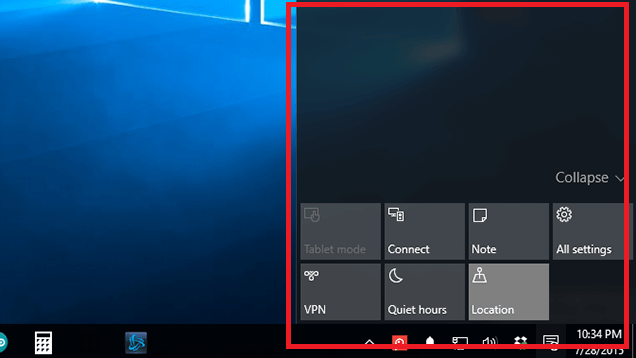
Many OS like Ubuntu, Android, IOS has a central notification area. Microsoft has added their central notification center in Windows 10. You will get notifications here and there are some options for quick access to settings, VPN, Locations, quiet hours, Notes etc.
You can click the notification tray icon in the lower right part of your screen or press Windows+A to open notification center.

Benefits of this feature:
- Easy access to notifications.
- Easy access to features like Notes, VPN, Quiet mode etc.
7. Microsoft Edge Browser
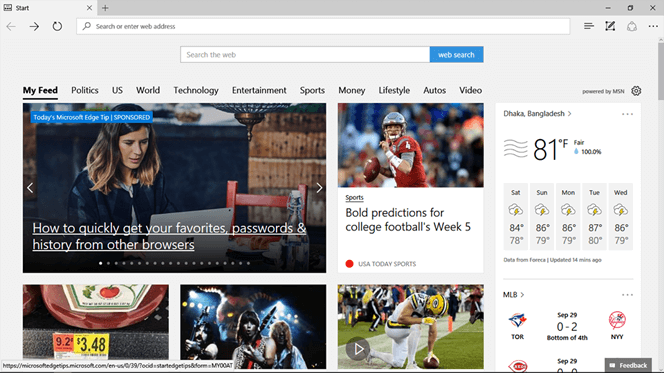
Microsoft has replaced Internet Explorer with Edge browser in windows 10, actually not totally replaced, till IE is available in windows 10. There have been some extra features added to Microsoft Edge. Its outlook and performance are better than Internet Explorer and getting popularity day by day for internet browsing especially.
Search internet explorer in Start Menu and click on it. You can pin it in the taskbar.

Benefits of this feature:
- Unique features Like text-only reader mode, annotation tool.
- It has Cortana integration.
- Only browser to stream Netflix in 1080p.
8. Paint 3D
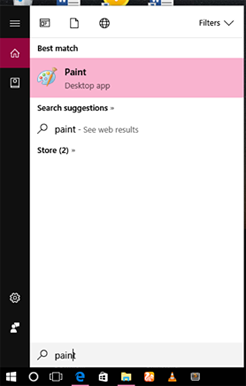
Microsoft has updated their built-in paint app in windows 10. Now you can paint in 3D. It is different from other 3D painting apps and it is totally modern.
Search Paint in the Start Menu and then click on it.

Benefits of this feature:
- In touch-enabled screen, it’s performance is better than other painting apps.
- You can create 3D objects here.
- You can import any 3D image and edit it smoothly.
9. Game Mode
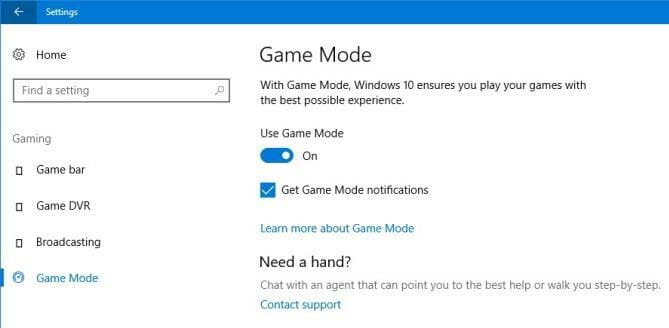
Microsoft has added values to windows 10 to improve the gaming experience. A game mode option is available in Xbox app or in your PC’s settings. While you are in a game mode, your system modifies the usage of CPU for the best performance to run the game smoothly.
To enable this feature, Go to Settings -> Gaming -> Game mode, turn game mode on.

Benefits of this feature:
- Enables more space for best gaming experience.
- Prioritize CPU and GPU resources for a game.
10. Night light option
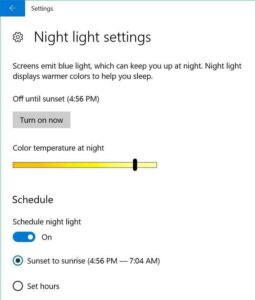
Windows 10 has by default blue screen that may be seemed irritating at night. Windows 10 has an option to reduce blue light and adjust your night light setting. You can schedule it to appear whenever you want.
If you want to enable this feature, Go to Settings -> System -> Display -> Night light settings. You will find an option to turn it on or off or set the interval you want it on.

Benefits of this feature:
- Effective when you work at night.
- Full control over the blue screen.

Conclusion:
Beyond this a lot of cool features windows 10 have, we just listed here 10. However before windows 10 windows 7 was most popular operating system by Windows but its time for windows 10 and people are migrating them from windows 7 to windows 10 in a rapid rate. Hope, they will not be disheartened them.
Microsoft wants their OS to be more user-friendly and so they added some new features. In Windows 10, those new features are great. If you are a Windows 10 user, then why not check those awesome windows 10 features on your PC!
Subscribe to our newsletter
& plug into
the world of technology