[Fix] Windows Can’t Open Add Printer (100% Working)
Suppose you have a running windows where you were unable to add a printer. There are items in the list of printers and scanners that are inoperative. Nothing appears when you click Add a printer or scanner in the search list. One of two messages may appear if you click “The printer that I want isn’t listed.” Add Printer won’t open in Windows. Either the local print spooler service is not running or the remote procedure call failed.
All of this can be very frustrating, right? But like every problem, this one also has solutions. Let’s check those out.
Why ‘Windows can’t Open Add Printer’ Issue Occurred?
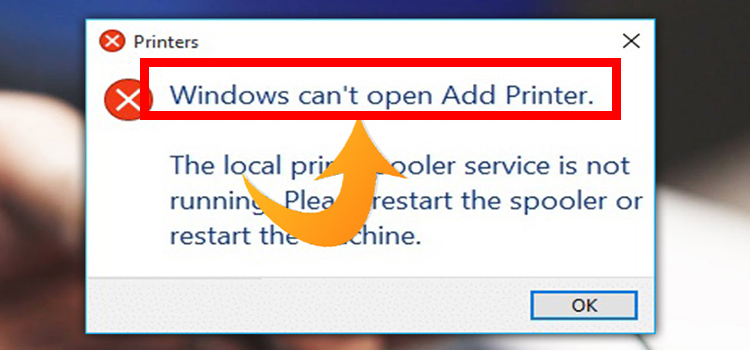
The Spooler service can cause a variety of printing issues, but one particularly annoying one is “Windows Can’t Open Add Printer.” To print any document or piece of paper at any time, you might need to add a printer. But regardless of the Windows version you are running, several faults might arise out of nowhere and cause issues. The most common error encountered while trying to print something is Windows can’t Open Add Printer.
The “Print Spooler” fault, which causes the printer to halt abruptly, is the main culprit behind this issue. It is mostly a Windows service for ordering and managing your printer and printing queues. Your printer may even shut down in the middle of a print job when this error occurs.
It may show symptoms like this considering the following scenario
You have a computer that is running a 64-bit version of Windows 7 or of Windows Server 2008 R2.
You try to open the Add Printer wizard by using the 32-bit Printui.exe that is located in the %windir%\SysWOW64 folder or by using the rundll32 printui.dll,PrintUIEntry command on the computer.
In this scenario, you receive the following error message:
“Windows can’t open Add Printer. Operation could not be completed (error 0x0000007e).”
Additionally, the computer may stop responding if you use the rundll32 printui.dll,PrintUIEntry command together with the/o, /p, /s, or /e switch.
How to Fix the ‘Windows Can’t Open Add Printer’ Issue?
Although this printer problem may make you anxious, there are solutions available. All you have to do is correctly implement those techniques, and ideally, there won’t be any trace of this issue remaining. The remedies that you ought to use when Windows 10 refuses to launch an added printer are as follows:
Method-1:
The solutions will also be attached to the Printer Spooler since that is where the mistake was caused. The printer spooler service needs to be restarted as soon as possible in this circumstance, and it should immediately begin to function.
By typing “run” into the search bar, the “Run” window will open, or you may just type “Windows Key + R.” You must type “services.msc” in the run tab and hit the “Enter” key on your keyboard.
When the service window appears as a result of this operation, look for the “Print Spooler” and double-click on it.
Choose “Automatic” from the “Start Type” drop-down menu in the “General” section of this tab. The “Stop” option will be visible if the service is already operating, and the “Start” option will be visible otherwise.
When the status is “Running,” first click “Start” to restart the service after pausing it with the “Stop” button. But if the latter occurs, all that is necessary to fix the issue is to press “Start.”
Method-2:
Similar to the previous mending approach, you must first go to the service bar to carry out this fixing procedure. Check to see if the “Printer Spooler” service is now “Running” and if so, click “Stop” to pause it. You must then select “Apply” and then “OK” following this.
By pressing “Windows Key + R,” open the “Run” box, and then enter C: WINDOWSsystem32spoolPRINTERS. To access that section, click “OK,” but you could get a warning there.
Then a tiny popup might appear and say, “You don’t have the permission.” To gain access there permanently, you must select “Continue.”
Once there, make sure the folder is empty by removing all the files you see there. Then, return to the “Printer Spooler” service tab, right-click on it, and choose “Start” to restart the program from scratch.
Method-3:
You must once more access the “Printer Spooler” service tab that was displayed in the initial fixing approach. If the service’s status at that point is “Running,” stop it, and then restart it. The fourth section of the “Printer Spooler” panel, the “Dependencies” tab, is then accessible.
Two options—“HTTP Service” and “Remote Procedure Call (RPC)“—are displayed there with a “+” icon to the left of each. When you expand the latter choice by clicking on the “+” button next to it, two additional options will appear.
Note the two choices that appeared following the expansion. If neither of them is running, find them both under the service tab and run them.
Conclusions
By following the procedures above, you can easily solve your problem regarding windows can’t open add printer. I hope this article was helpful to you.
Subscribe to our newsletter
& plug into
the world of technology