Is Windows PowerShell a Virus? How to Remove Windows Powershell Virus?
No, Windows PowerShell is a harmless .exe file that comes in handy for task automation. Unfortunately, viruses and malware also spread with the help of executable files. And since there’s already a virus named Powershell.exe, differentiating between the two is a tough call.
The virus we’re talking about is a latent perilous Trojan capable of data breaching. Hence, it can steal your data while also disrupting user activities. Plus, the Powershell.exe virus can also slow down your computer. So, is Windows PowerShell a virus for real? Let’s find that out.
What Is Windows PowerShell?
In its original form, Windows PowerShell is a part of the Windows operating system that helps with task automation. In other words, it is an executable file that Microsoft ships with bootable Windows. Generally, it does not harm your computer and, in fact, has proven benefits for system administrators.
However, PowerShell is cross-platform, meaning it runs on all major operating system like Linux and macOS alongside Windows. And unlike on Windows, it does not come preinstalled on those platforms. Therefore, Linux and Mac users have to install the program manually.
Is Windows PowerShell a Virus – Is It Safe?
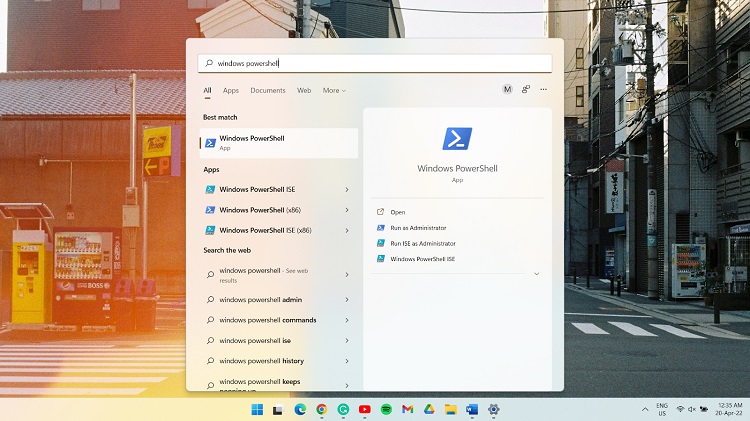
Windows PowerShell, being a Microsoft production, is safe for the most part. But due to the confusion created by a virus with identical characteristics, it will be wise to inspect that authenticity. You can do so by checking the location of the executable file. For example, the legit path will look something like this.
- C:\Users\Username\AppData\Roaming\Microsoft\Windows\Start Menu\Programs\Windows PowerShell.
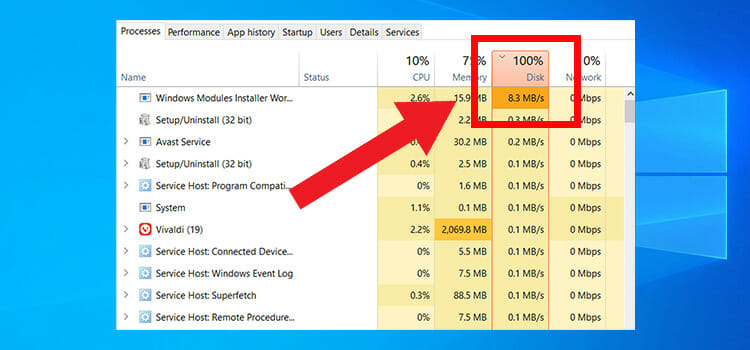
Another way of checking is to observe the behaviors of your computer. Keep an eye out for suspicious pop-up ads throughout the system. Besides, a system slow-down can indicate the presence of a trojan, especially if it runs in the background. In that case, try to recall if you recently installed any software from an unknown source or opened a spam email.
Should I Delete Windows PowerShell?
Unless you need it daily, you can indeed uninstall Windows PowerShell. PowerShell can be buggy on certain computers, causing a high CPU and GPU usage. Hence, it will be wise to get rid of the program.
Moreover, if you suspect the presence of a Powershell.exe virus or other malware, uninstalling PowerShell is your best bet. And if you need it afterward, you can download and install it at any time.
How to Remove Powershell.exe From Windows 10?
As with any executable file, there will be an associated uninstall program with Powershell.exe. If it is just the authentic PowerShell behaving oddly, disabling it should do the trick. Otherwise, you’ll have to use an anti-malware tool or run a system restore for a permanent fix.
Disable Powershell.exe
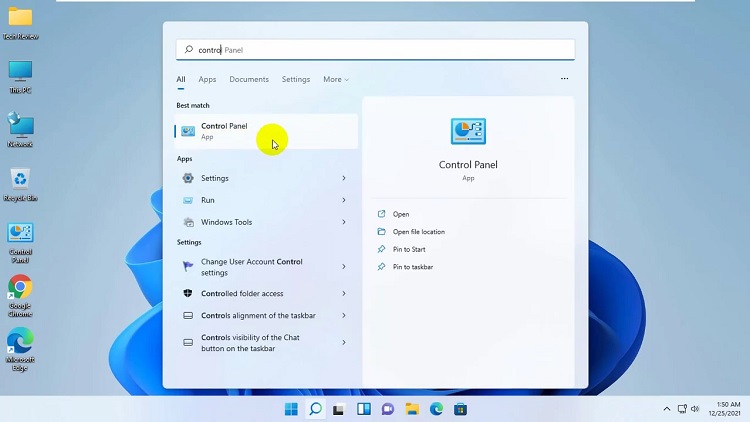
First, type ‘control panel’ in the Windows search bar, and when the result arrives, open the Control Panel.
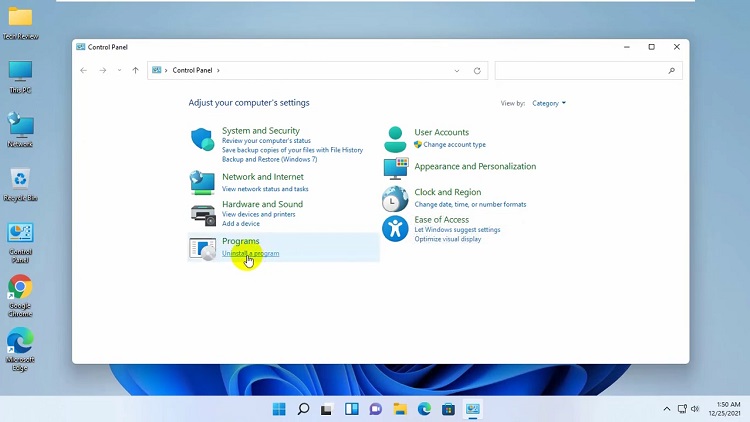
Click on Uninstall a program under the Programs tab.
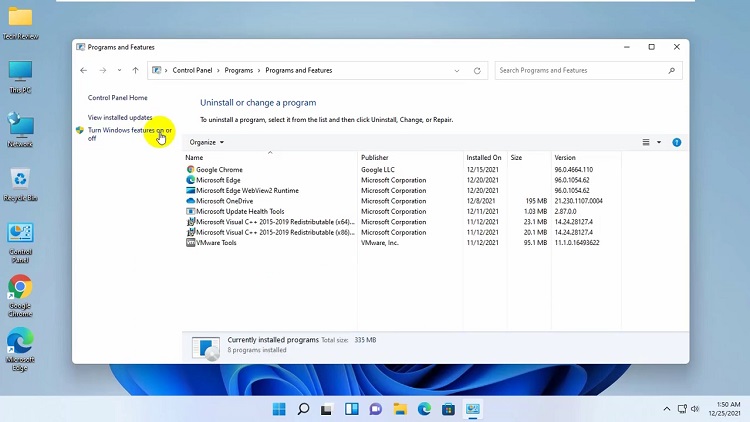
From the top left corner, select the Turn Windows features on or off option. A pop-up window named Windows Features will appear.
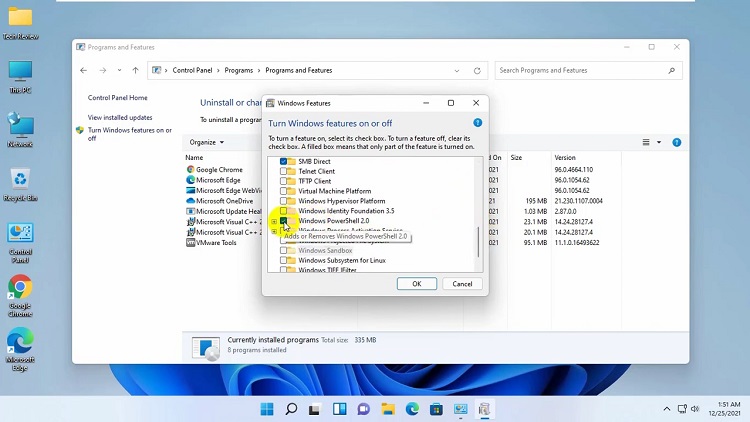
Scroll down until you spot Windows PowerShell with a checkbox next to it. The box should be checked by default, which you have to uncheck and then click ok to close the window.
Use an Antivirus or Anti-malware Tool
Pick an antivirus of choice and initiate a full system scan. You can use any third-party tool. Yet, the built-in tool, Windows Defender, seems to work best against the Powershell.exe virus. Regardless of the antivirus, it will detect and automatically prompt you to remove the suspicious malware.
Run System Restore
System restore is another great alternative, given it can take your computer back to a state when the virus has not affected the system. However, it is easier said than done as you’ll then have to select a point and be sure of it being safe. But it’s worth trying, and here’s how it works.
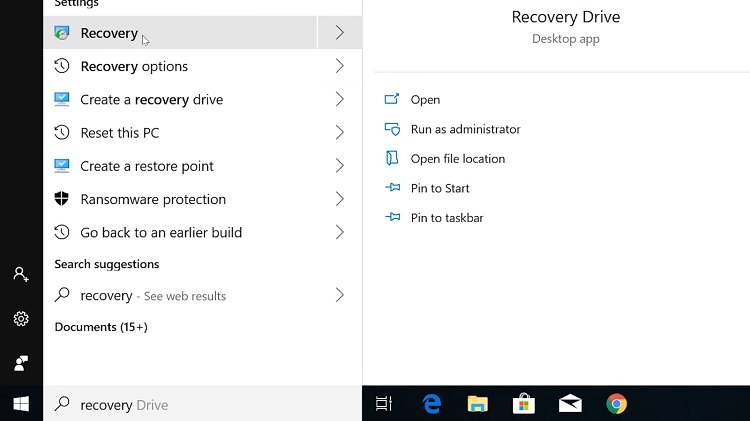
Search for recovery in the Windows search option and select the first result.
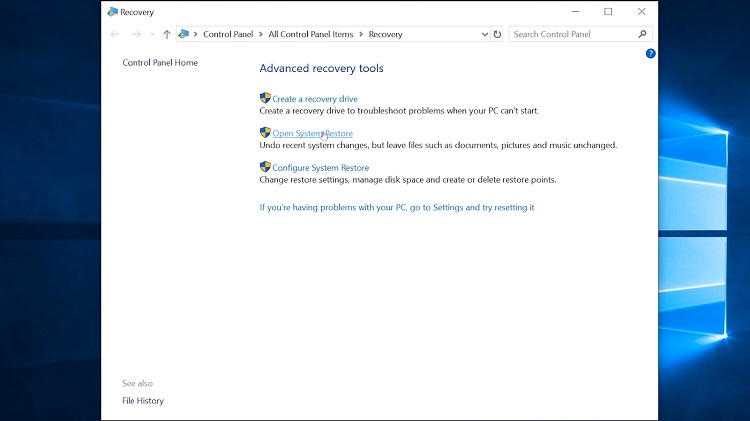
Inside the Recovery window, click on Open System Restore.
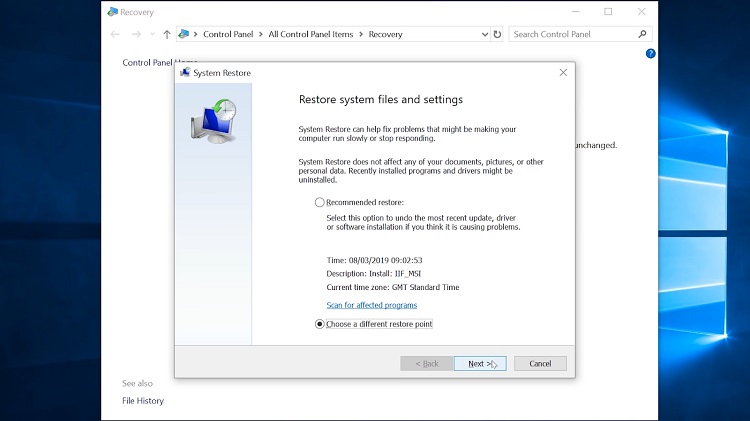
Then, select Choose a different restore point and click Next.
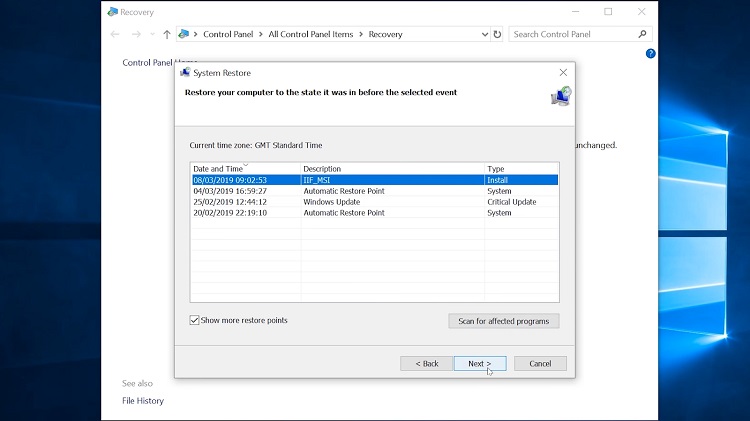
Check the box next to Show more restore points, and a few states will appear with their respective date and time info. Choose the one you prefer to be prior to the malware attack and hit Next.
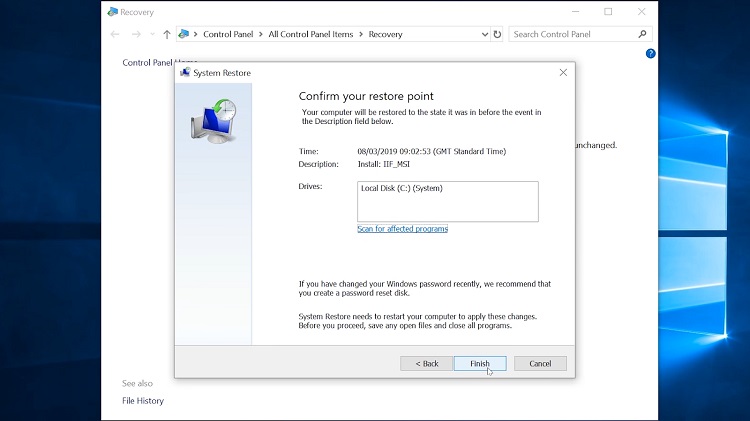
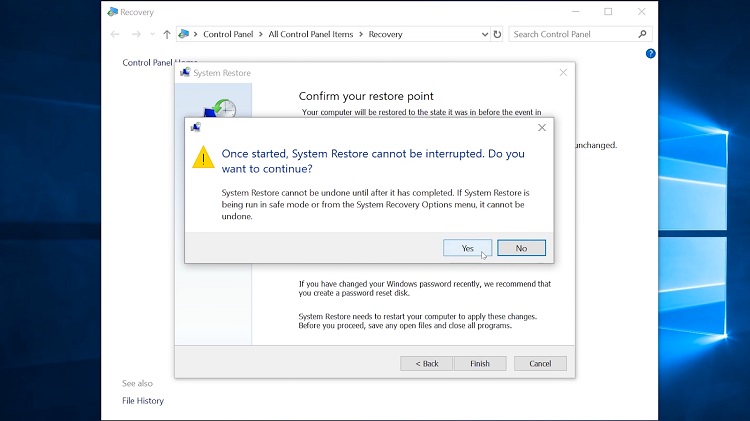
Finally, click on Finish and then Yes to start the system restore.
After an automatic restart, your computer will be back to the selected timeline.
Verdict
Windows PowerShell, the task automation and system administration tool, is not a virus. It is a useful piece of program that never interrupts unless used. But there’s a virus named after it that often manages to fool the system. Although the above methods are proven ways to eradicate the virus, you might have to reinstall Windows in worse cases.
Subscribe to our newsletter
& plug into
the world of technology