Harnessing Virtual Desktops for Workflow Organization: Mastering Productivity in Windows 11
In today’s fast-paced, multitasking environment, the ability to stay organized and focused is more important than ever. Whether you are a professional working with numerous applications, a student juggling research projects, or a creative managing multiple design tasks, cluttered desktops can slow you down and diminish your productivity. Fortunately, Windows 11 introduces a powerful feature known as Virtual Desktops that can revolutionize how you work.
In this detailed post, we’ll explore how to harness Virtual Desktops in Windows 11 to organize your workflow, increase your focus, and boost productivity.
What Are Virtual Desktops?
Virtual Desktops are essentially separate desktop environments that allow you to switch between different sets of windows, applications, and files. Each virtual desktop is like a blank slate where you can open only the applications or files you need for a particular task or project.
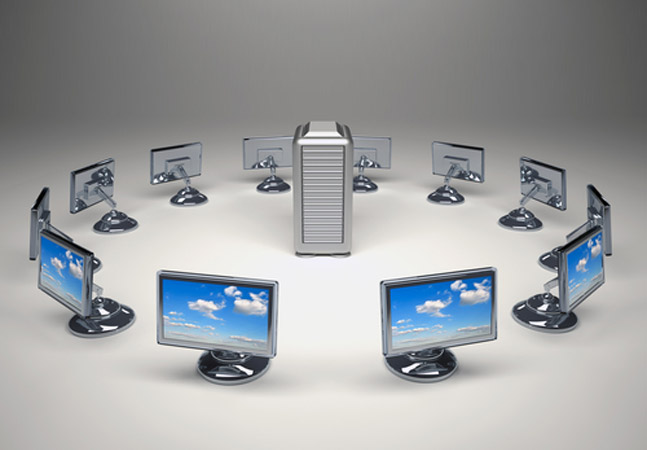
This feature is perfect for individuals who need to compartmentalise their work or those who regularly juggle multiple tasks simultaneously. With Virtual Desktops, you can keep your work-related apps separate from personal tasks, minimizing distractions and maximizing focus.
Benefits of Using Virtual Desktops for Workflow Organization
Before we dive into how to use Virtual Desktops, let’s first examine the key benefits they bring to your workflow:
- Improved Focus and Reduced Clutter: Instead of switching between multiple windows on a single desktop, Virtual Desktops allow you to dedicate each space to a specific task. This helps to reduce distractions from unrelated applications and keeps your environment clean.
- Better Multitasking: With multiple desktops, you can have different sets of applications running for different tasks. This makes it easier to switch between tasks without having to constantly minimize or search for windows.
- Increased Productivity: The ability to organize your tasks visually by separating different workspaces can lead to faster task-switching and less time spent hunting for files or applications.
- Custom Workspaces: Each desktop can be customized with its own background and apps. This helps you distinguish between personal and professional tasks quickly, and it also brings a level of organization that will keep you mentally clear.
- Seamless Transition: Virtual Desktops allow you to transition between tasks seamlessly. You can quickly go from a project management environment to creative work without losing focus or disrupting your flow.
Setting Up and Using Virtual Desktops in Windows 11
Windows 11 makes it easy to set up and use Virtual Desktops with a few simple steps. Here’s how to do it:
1. Creating a New Virtual Desktop
To create a new Virtual Desktop, follow these steps:
- Step 1: Click on the Task View button on the taskbar (or use the keyboard shortcut
Win + Tab). - Step 2: In the Task View interface, you’ll see all your current desktops at the top. To create a new one, click on the New Desktop button, located at the top-left of the screen.
- Step 3: A new virtual desktop will appear. You can now drag and drop applications or windows from your current desktop to the new one or open fresh applications on the new desktop.
2. Switching Between Virtual Desktops
Switching between Virtual Desktops in Windows 11 is simple and efficient:
- Using the Task View: Click on the Task View button or press
Win + Tab. This will show a visual representation of all your desktops. Simply click on the one you want to switch to. - Keyboard Shortcuts: You can also use the keyboard shortcut
Win + Ctrl + Left ArroworWin + Ctrl + Right Arrowto cycle between desktops quickly.
These methods allow you to switch between tasks in an instant, without disrupting your workflow.
3. Moving Apps Between Desktops
Sometimes, you may need to move a window or app from one desktop to another. Here’s how to do it:
- Step 1: Open the Task View by clicking the Task View button or pressing
Win + Tab. - Step 2: Find the window or app you want to move. Hover over the window, and you’ll see a small “Move to” option.
- Step 3: Drag the window to the desired desktop or right-click on the app and select “Move to” followed by the desktop number you want.
This feature is particularly useful when you’re working on different aspects of a project and need to switch around different resources.
4. Customizing Virtual Desktops
Windows 11 allows you to personalize each Virtual Desktop by adding different backgrounds, so you can distinguish between them easily.
- Step 1: Click on the Task View button or use the
Win + Tabshortcut. - Step 2: Right-click on a virtual desktop and select Choose Background to assign a custom wallpaper to that desktop.
This is a small touch, but it helps create mental distinctions between different workflows. For example, you might set a calming background for your personal tasks, while using a more professional background for work.
Best Practices for Organizing Your Workflow
To get the most out of Virtual Desktops, here are some best practices to consider:
1. Separate Work and Personal Tasks
One of the biggest advantages of Virtual Desktops is the ability to compartmentalize your life. Use one desktop for work-related tasks—like email, documents, and apps—and another for personal activities—like social media, entertainment, or browsing.
This separation will help you stay focused during work hours, and when you’re off the clock, you can easily switch to your personal desktop to unwind.
2. Create Desktops for Specific Projects
If you’re juggling multiple projects, you can create individual desktops for each. For example, if you’re working on a report, create one desktop with your word processor, browser for research, and any relevant files. If you need to switch to a design task, create a separate desktop with your design tools, reference material, and communication channels.
This approach reduces mental clutter and makes it easier to focus on each task individually.
3. Use Desktops for Communication and Collaboration
For teams, virtual desktops can be used to organize communication channels. You can dedicate one desktop to your team communication (e.g., Slack, Microsoft Teams, email) and another to your active work, reducing distractions from constant notifications.
4. Stay Organized with Taskbar Pinning
In Windows 11, each Virtual Desktop has its own taskbar, but you can pin different applications to each desktop’s taskbar for easier access. This way, you won’t have to search for your tools every time you switch desktops.
5. Minimize Window Switching with Multi-Monitor Setups
For users with multiple monitors, Virtual Desktops become even more powerful. With multiple displays, you can dedicate one monitor to each virtual desktop or spread a single desktop across different monitors to create an expansive workspace.
Windows 11 allows you to easily manage windows across multiple monitors, so you can maximize productivity by organizing apps logically.
Advanced Tips for Power Users
If you’re a power user or looking to streamline your workflow even more, here are a few advanced tips:
- Use PowerToys FancyZones: FancyZones is a feature of Microsoft PowerToys that allows you to create custom window layouts for snapping. Combined with Virtual Desktops, this can help you create highly customized workflows where you can organize your apps into grids across multiple monitors or virtual desktops.
- Keyboard Shortcuts for Switching Apps: Once you’ve mastered Virtual Desktops, learn how to switch between individual apps within your desktops more efficiently using
Alt + TaborWin + Tabfor Task View. - Task View with Alt + Tab: You can quickly use the
Alt + Tabshortcut to switch between apps within the same desktop, which is perfect for fast multitasking. Combine this with your virtual desktop setup to move between tasks rapidly.
Conclusion: Unlocking the Power of Virtual Desktops
Virtual Desktops are an incredibly powerful feature of Windows 11 that can help users organize their workflows, boost productivity, and stay focused. Whether you’re working on multiple projects, balancing work and personal tasks, or simply trying to reduce desktop clutter, Virtual Desktops are an excellent way to maximize your workspace.
By mastering how to create, manage, and customize these desktops, you’ll not only improve the way you work but also find that managing your digital life becomes more efficient and enjoyable. With the right setup, Windows 11’s Virtual Desktops can be a game-changer for anyone looking to enhance their productivity and streamline their work environment.
Subscribe to our newsletter
& plug into
the world of technology