[Solved] Error Code 0x0 Windows 7 Startup Repair (100% Working)
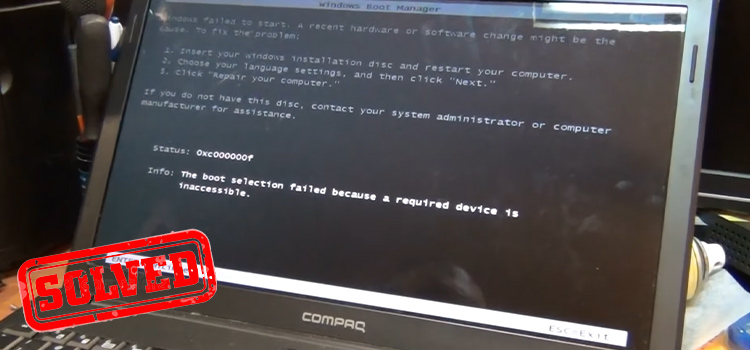
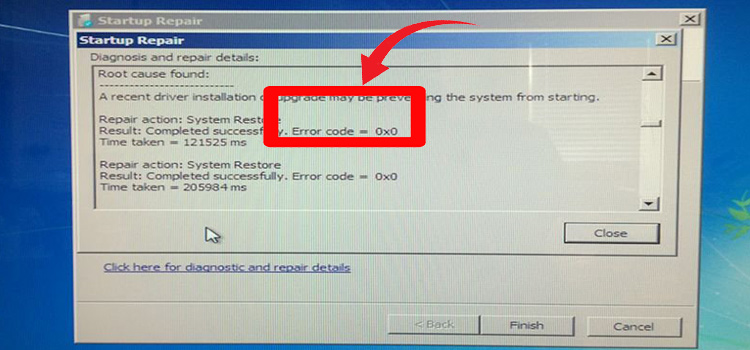
You may have encountered a blue screen of death (BSOD) on your computer and tried Startup Repair on your Windows 7 operating system and suddenly an error appeared on your screen with the 0x0 error code.
If this is the case, then you are not alone in who is facing this for the first time! Because many Windows 7 users have been through this error. But there is no need to take any stress off as long as we are here to help you.
There can be several reasons behind the error 0x0 while startup repair on Windows 7 and the fix is quite straightforward. You need to run DISM, SFC, and other troubleshooting methods to fix this error on your computer.
We have provided a step-by-step solution to this error in this article. You just need to apply them one by one until you fix the error completely.
So, without wasting any time, let’s solve it below.
What Does Error Code 0x0 Mean?
The error 0x0 is also known as a “runtime error”. Normally, it indicates the failure of elements under the Windows operating system. It also means the malfunction of applications.
As this error appears due to corrupted installation files, the error is considered critical and you should never ignore this error.
So, let’s learn the possible causes of this error and take the necessary steps to fix it.
What Are the Causes for the Error 0x0?
As the error 0x0 indicates malfunctioning system files, a system file of Windows 7 can get corrupted for many reasons and trigger this error. Here is the list of possible reasons for this error while running startup repair:
- Application Crossover: if multiple programs are running simultaneously, then this error can happen.
- Safe Shutdown is Interrupted: A computer closes all the running programs before turning off in the “Safe Shutdown”. If the computer is turned off incorrectly, then the system crashes and triggers this error.
- System Inconsistencies: The error can occur due to entering inaccurate or inconsistent Windows Registry Keys.
- Fault with System Settings: If the system settings are faulty and misconfigured, then this error occurs.
- Faulty System Memory: Damaged or faulty RAM sticks often trigger this error.
- Incomplete Installation or removal of Software: If any software is interrupted while installing or removing, then the file gets damaged and triggers this error.
- Faulty Graphics Card Driver: If the graphics card driver is outdated or corrupted, then error 0x0 occurs.
- System File is Deleted or Corrupted: As the system files are the core to running an operating system correctly, the error occurs if the system files are damaged or deleted somehow.
How to Fix ‘Error Code 0x0 Windows 7 Startup Repair?’
As there are several reasons for this error, there are several methods to fix them. Follow the given solutions below until you fix the error 0x0.
Solution 1: Run CHKDSK on the Boot Volume
First, you need to detect corrupted, deleted, or invalid system files. To check and fix it, follow the steps below –
- Click on the Windows icon and type “cmd” in the search bar.
- Then click “Run Command Prompt as Administrator”.
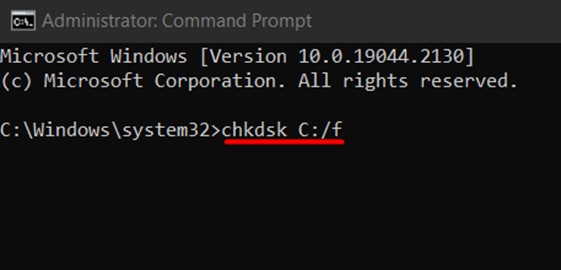
- Once the command prompt appears, type “chkdsk C:/f” and hit Enter.
- Finally, wait until the scan completes, and check if the error persists or not. If not, then try the next solution below.
Solution 2: Disable Automatic Restart on System Failure
- Reboot your computer and while startup, go to BIOS by pressing your BIOS key repeatedly.
Note: You can find the BIOS key on your motherboard’s manufacturer guide. Normally, F1, F8, F10, or F11 is the BIOS key for most motherboards.
- Once the list of Boot options appears on your screen, choose “Disable automatic restart on system failure” and press Enter.
- After rebooting your PC, check if you are encountering error 0x0 or not.
Note: It won’t fix the error but it will suppress the error. To fix it permanently, try the next solution.
Solution 3: Run DISM Scan
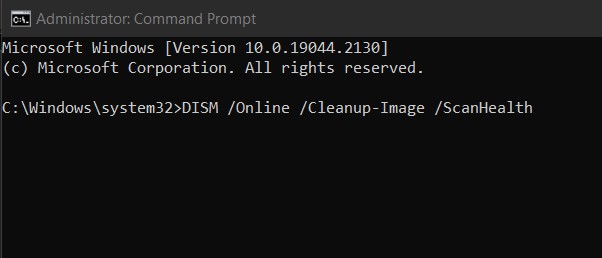
- Open the Command Prompt as administrator and type the command below:
- DISM /Online /Cleanup-Image /ScanHealth
- DISM /Online /Cleanup-Image /RestoreHealth
Note: Don’t forget to hit Enter after each command.
After completing the process, restart your computer and check if the error is solved or not.
Solution 4: Run SFC Scan
- Restart your computer and go to your BIOS settings as instructed above.
- Then, select “Safe Mode with Command Prompt”.
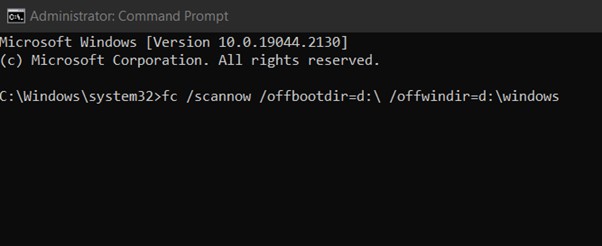
- Once the command prompt appears, type the command below and hit Enter.
- fc /scannow /offbootdir=d:\ /offwindir=d:\windows
Restart your computer once the process is completed. If this doesn’t fix the error, then try the next solution.
Solution 5: Rebuild the BCD
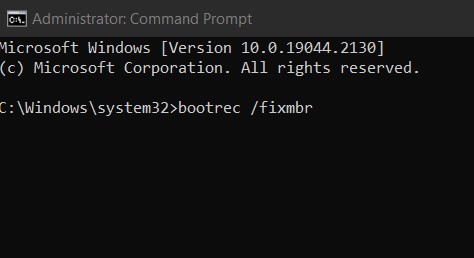
- Open the command prompt from System recovery and type the commands below:
Note: Don’t forget to press Enter after each command.
- bootrec /fixmbr
- bootrec /fixboot
- bootrec /rebuildbcd
Solution 6: Fix Windows Files Manually
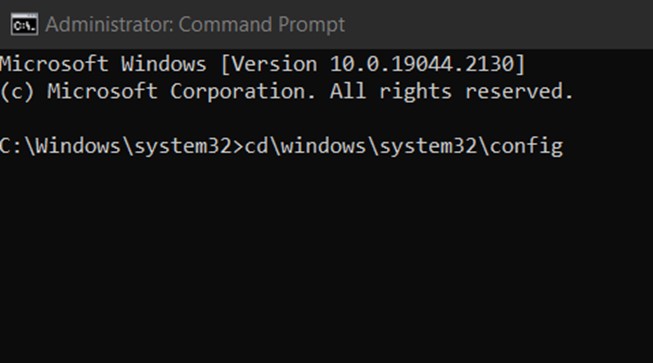
- Open the command prompt from System recovery as instructed above and then paste the commands below and hit Enter after each command.
- C: (change the CMD path)
- dir
- cd\windows\system32\config
- dir
- MD mybackup
- copy *.* mybackup
- CD RegBack
- DIR
- copy *.* ..
- exit
Hopefully, the error 0x0 while startup repair should be fixed after applying all of the solutions above.
If you still face the same solution, then you can use system recovery. If you haven’t any backup of your system then the final option for you is to reinstall the operating system.
Bonus Tip: Try Alternative Solutions to Fix Startup Repair in Windows 7
If you are facing an error with Startup Repair in Windows 7, then you can use third-party tools to fix it easily. It will automatically restore the system and fix the error.
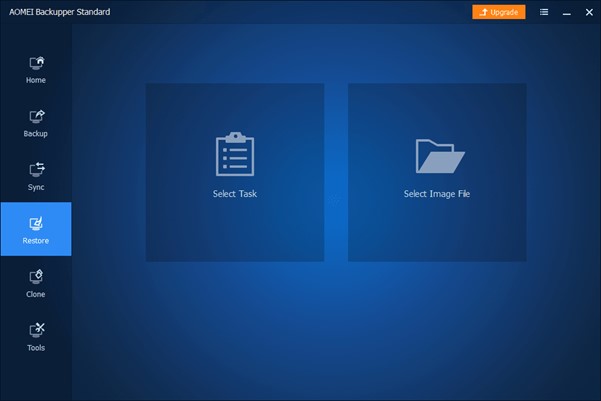
You can download the “AOMEI Backupper Standard” software from any trustable website and install it on your computer. Before stepping ahead, don’t forget to make a bootable CD or USB drive and back up your system.
Open the software and click “Restore”. Then follow the on-screen prompts and your system will be restored with no 0x0 error.
Frequently Asked Questions (FAQs)
How to Close Conflicting Programs to solve ‘Error Code 0x0’?
You can get the error code 0x0 while running multiple programs at a time. Closing down the conflicting programs will fix the error. Here is how you can close conflicting programs:
- Press Ctrl + Shift + Esc keys simultaneously to open Task Manager.
- Now, go to the Process tab and identify the programs that interfere with each other.
- Right-click on the process and click “End task” to close the process.
- Check if the error exists or not.
How Do I Repair Windows 7 Startup Repair Failed?
Follow the steps below to fix Windows 7 Startup Repair Fail:
- Go to Settings > Update & Security > Recovery > Advanced Startup and click Restart Now.
- When the computer reboots, navigate to Troubleshoot > Advanced Options > Startup Repair.
- Restart your computer after completing the process.
How Do I Force a Windows 7 Repair?
If you can’t go to Windows 7 Startup Repair normally, then try the steps below force startup repair:
- Reboot your computer and press F8 before Windows 7 logo appears.
- Then go to Advanced Boot Options Menu and select the Repair Your Computer option.
- Finally, press Enter and wait until the process completes.
What do I do if Windows 7 startup repair doesn’t work?
If you are stuck on Windows 7 startup repair, then follow the solutions below to fix it:
Solution 1: Run chkdsk on the boot volume.
Solution 2: Disable Automatic Restart.
Solution 3. Run the sfc /scannow command (System File Checker) to repair the file system.
Solution 4: Manually attempt to rebuild the BCD (Boot Configuration Data).
Solution 4: Fix Windows files manually.
Conclusion
We hope this guide has proven helpful in handling error code 0x0 on Startup Repair Windows 7. All the possible solutions that helped many other users fix the same error are provided above in this article. We believe you can fix it by applying our given solutions. But if you still facing the error 0x0 after trying all the solutions above, then it is probably because your Windows 7 hasn’t been installed correctly you need to reinstall Windows 7 on your PC in a proper way. You can seek the help of your friend who can install Windows 7 correctly or call professionals.
Subscribe to our newsletter
& plug into
the world of technology