[3 Fixes] Display Driver Nvlddmkm Stopped Responding and Has Successfully Recovered
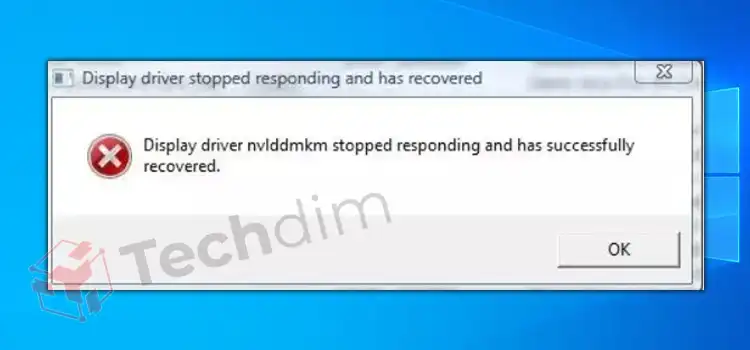
The Nvlddmkm error message indicates that the display driver, which had stopped responding, has now successfully started responding again. It implies that your video card’s or monitor’s display driver had stopped functioning but had been able to start again properly.
You can fix the issue by adopting several methods of fix such as using the previous display version or changing the power management mode. Other fixes include underclocking the GPU, checking the hardware such as the GPU or RAM for defects, etc.
Causes of the Error “Display Driver Nvlddmkm Stopped Responding and Has Successfully Recovered”
As a windows user, you may face an error on your screen when the screen blacks out momentarily and then revert back as if nothing happened. Before it flips back, video or other displayed content can occasionally get distorted. But after these little interruptions are over, you can return to whatever task you were working on.
Furthermore, some users encounter problems while playing a game. The game crashes as a result of all of this. The Event Viewer shows a log with the message “Display Driver nvlddmkm stopped responding and has successfully recovered.”
There are a couple of reasons for the error. They will be discussed in this section.
1. Display Drivers
Installing conflicting display drivers on your computer simultaneously is one such cause. This can occur while installing display drivers from various hardware manufacturers or when attempting to install an older version of a display driver over a more recent one.
2. Unable to Meet Requirements for DirectX Versions
Failing to fulfill the minimum system requirements for DirectX versions may also be the reason for the concerned error message.
Therefore, the prerequisites must be met by your computer in order to avoid problems such as “Display Driver Nvlddmkm Stopping Responding and Has Successfully Recovered”. It applies when upgrading or installing new Display Drivers.
3. Third-Party Apps
The third-party apps that are installed on your machine are one of the first potential causes of the issue in question. These apps’ interference with the driver may lead to the aforementioned problem.
4. Faulty GPU
Last but not least, if your computer’s installed graphics card is having problems because of a hardware defect, using the system won’t be a natural experience. Although the likelihood of this is low, if it does happen, you will regrettably need to replace your GPU.
How Do You Fix the Error Effectively
There are different methods that you can use to resolve the issue. Stick around as we will discuss them in detail in this section.
Method 1: Using the Previous Display Driver Version
The main source of this problem is thought to be a defective display driver. To see if the display crashes stop or not, this method entails upgrading or downgrading your display driver.
Step 1: Open Device Manager
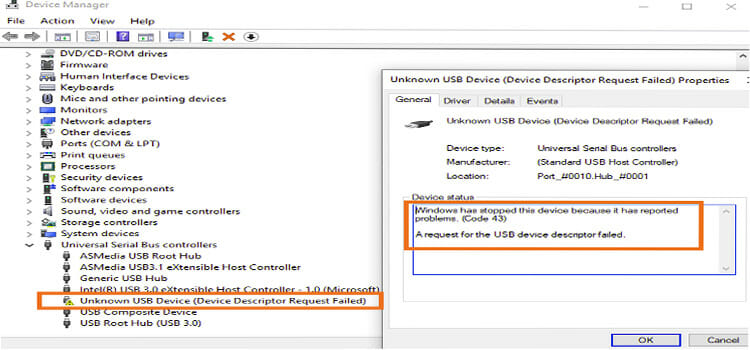
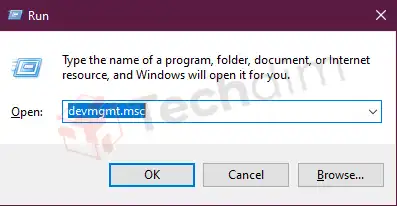
To get started, you have to boot your Windows PC in safe mode. Then, open “Run” by pressing Windows + R on the keyboard. Afterward, type “devmgmt.msc”, and press enter.
Step 2: Configure Display Adapters
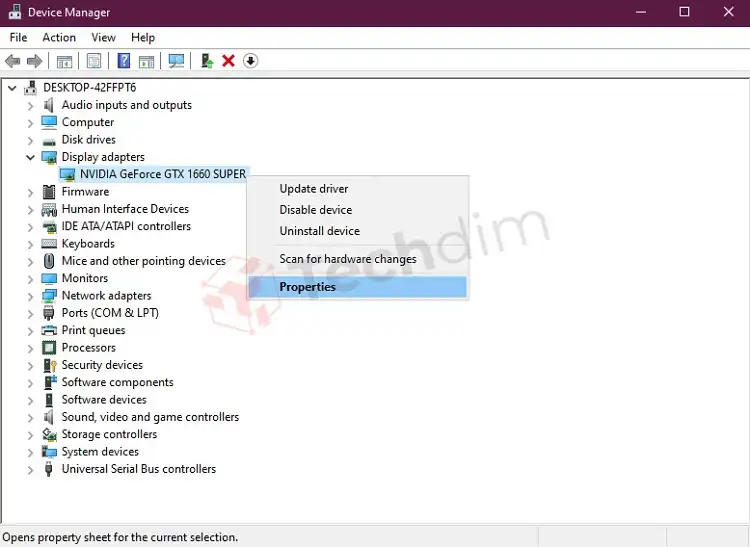
In this step, you have to open “Display adapters” from the device manager. Then, right-click your graphics card, and select “Properties”.
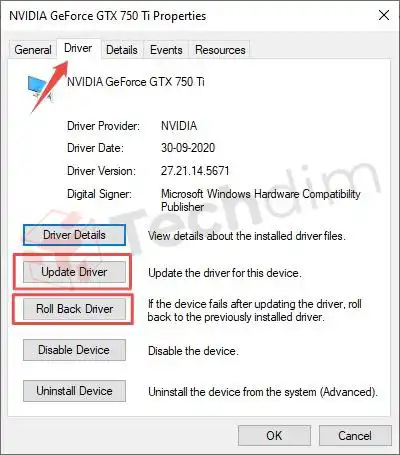
Step 3: Select Roll Back Driver
Under the Driver tab, first, you will see “Roll Back Driver”. Click on it and afterward, recheck to see if the problem persists.
Method 2: Changing the Power Management Mode
The power supply could be at blame for a mistake. This particular situation could arise as a result of less power being sent to the video card or screen driver. A detailed guide to changing the power management mode is shown below.
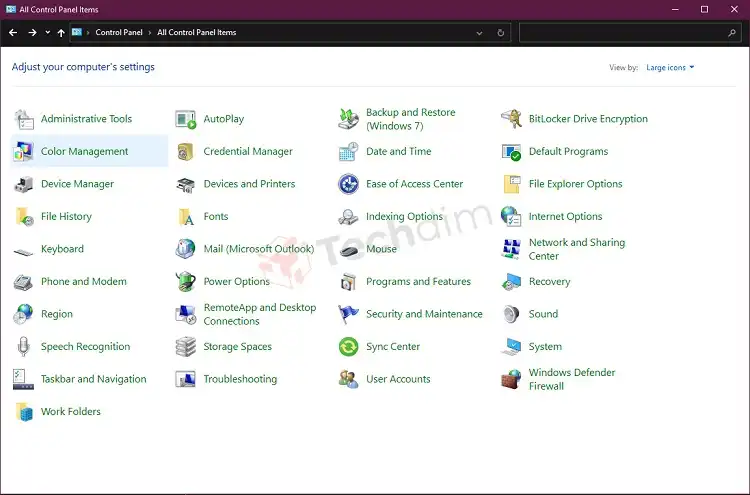
Step 1: Open Control Panel
Open the control panel by using the Run utility or simply through the search bar. On the right side of the window of the control panel, select the “Large Icons” option.
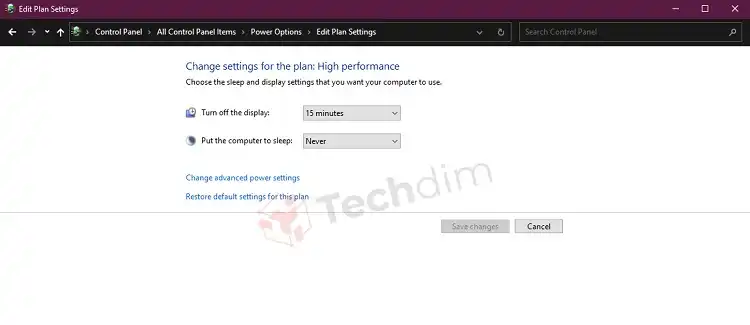
Step 2: Navigate to Power Options
Select “Power options” and go to the “Change Plan Settings” section. Afterward, click on the “Change Advanced Power Settings” option.
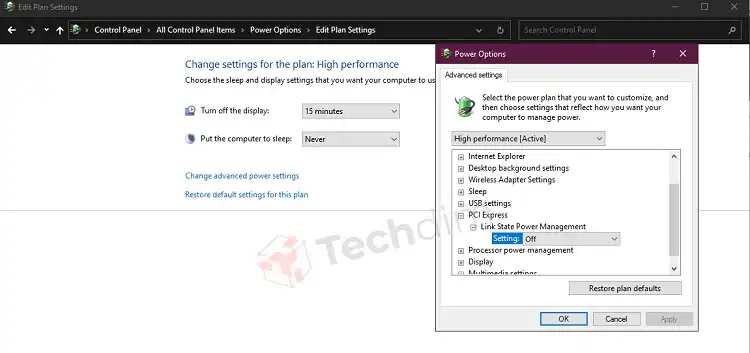
Step 3: Configure Power Options
Now you have to select the PCI Express option from the list of options. Expand the option by clicking on it. Make that the “Setting” option under Link State Power Management is set to “Off”.
This will ensure that your graphic card receives the power it requires to operate at peak efficiency and is not hampered by any power-saving features. Finally, click on the Apply button to save your changes and restart your computer.
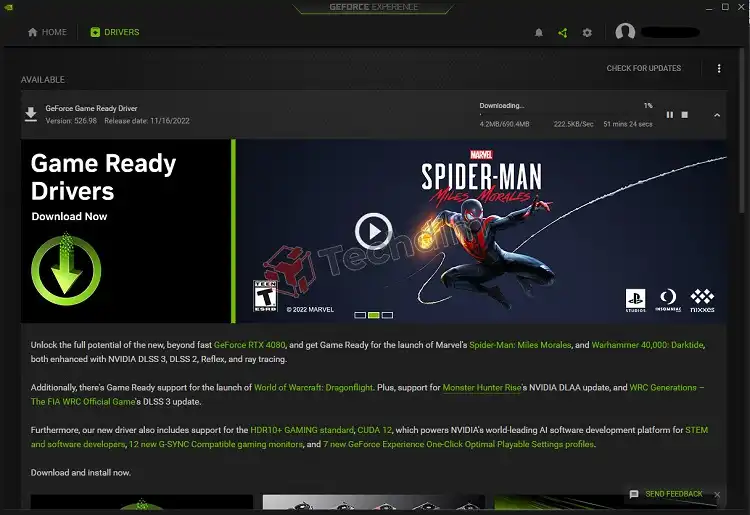
Method 3: Disable Overclocking
Overclocking stresses your GPU and increases the operating temperature in exchange for a small boost. Sometimes this causes the GPU to malfunction, which leads to the dreaded “display driver nvlddmkm stopped responding“.
Some gamers choose to overclock their GPUs to get that added performance, but it is also possible that the GPU was already factory-overclocked. Regardless, try underclocking.
Why Does My Display Driver Keep Stopping and Recovering
Your display driver can keep stopping and recovering due to multiple reasons. One of them could be that you are yet to install the latest drivers for your display.
Besides, your computer may be performing slowly due to visual effects or too many programs running in the background. Another reason could be that the GPU is using more time than is allowed to show graphics.
Conclusion
To sum up, issues with display drivers can be problematic and it would favorable to claim a warranty if possible. If nothing has worked for you thus far, try sending it to the official support or contacting the merchant in case there appears to be a problem with the graphics card itself.
Subscribe to our newsletter
& plug into
the world of technology