Skip to content
techdim.com
  • Home
  • Top Rated Tech 2026
  • Hardware
  • SoftwareExpand
    • Android
    • Windows
  • How to
  • MoreExpand
    • Technology
    • Difference
    • Artificial Intelligence
    • Online
    • Best Website Builders 2026
techdim.com

Author: Stephen Brown

Draft and Proofreader Literature buff. Working with words is right up my alley. Technology, gadgets and audio devices attract me. Hence I am with Tech Dimension. Books, and a cup of coffee, are the ideal winter night for me.
  • Can You Play Xbox One Games Without Installing
    Hardware | Online

    [Explained] Can You Play Xbox One Games Without Installing?

    ByStephen Brown February 6, 2023February 8, 2023

    At times, you may have noticed your Xbox One has a very slow installation speed, which raises the question, can you play Xbox One games without installing it? Sadly, the answer is No. You can’t play Xbox One games straight from the disk. While this could save you some precious disk space or give you…

    Read More [Explained] Can You Play Xbox One Games Without Installing?Continue

  • Can You Use the HDMI Port on the Motherboard
    Hardware

    Can You Use the HDMI Port on the Motherboard? | Explained advantages and disadvantages

    ByStephen Brown February 6, 2023February 6, 2023

    If you are wondering whether you can use both the motherboard HMDI and graphics card or just the motherboard HDMI alone, you’ve come to the right place. Yes, you can use the HDMI port on the motherboard to connect your display. In this article, we’ll cover topics like how to use the HDMI on your…

    Read More Can You Use the HDMI Port on the Motherboard? | Explained advantages and disadvantagesContinue

  • Is a Speaker an Input or Output Device
    Hardware

    Is a Speaker an Input or Output Device? | How Speakers work on PC

    ByStephen Brown February 5, 2023February 5, 2023

    Speakers are transducers that turn audio signals into sound waves and are frequently connected to computers (laptops, smartphones, etc.), including loudspeakers and studio monitors.  When a computer (laptop, smartphone, etc.) is linked to speakers, the computer outputs data for the speakers to hear. This implies that loudspeakers, monitors, and speakers are all considered output devices….

    Read More Is a Speaker an Input or Output Device? | How Speakers work on PCContinue

  • Is 85 Degrees Hot for GPU
    Hardware

    Is 85 Degrees Hot for GPU? | Temperature Analysis of graphics processing unit

    ByStephen Brown February 5, 2023February 5, 2023

    Increasing the temperature in your CPU and GPU can deal intense damage to your rig. When you are doing high-end work or playing heavy games, the temperature of the GPU gradually increased. Now, the main concern is, what the allowable temperature for GPU is. For this, you check your GPU’s temperature and find out that…

    Read More Is 85 Degrees Hot for GPU? | Temperature Analysis of graphics processing unitContinue

  • Can Someone Track You Down by Your Cell Phone Number
    How to | Online

    Can Someone Track You Down by Your Cell Phone Number? [EXPLAINED]

    ByStephen Brown February 5, 2023February 23, 2023

    The straightforward answer is Yes! Even a few years ago tracking down someone’s location by his cell phone number sounded crazy. At that time tracking location was based on installing a GPS tracker device.  But nowadays technology has become so advanced that anyone can track anyone’s location using tracking programs. It doesn’t matter what type…

    Read More Can Someone Track You Down by Your Cell Phone Number? [EXPLAINED]Continue

  • Vive Tracker Not Turning On
    Hardware | How to | Technology

    How To Fix HTC Vive Tracker Not Turning On? | Easy Guidelines

    ByStephen Brown February 5, 2023February 5, 2023

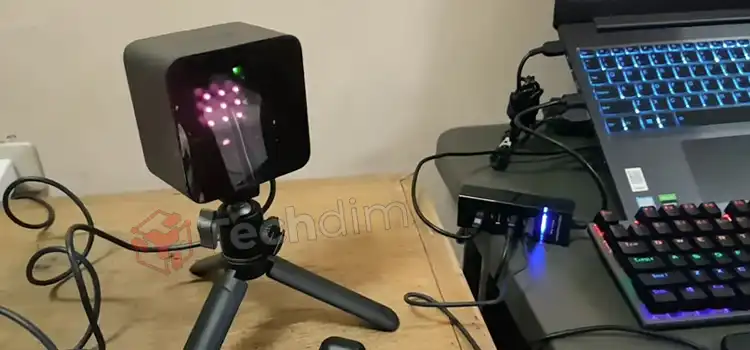
    While turning on your Vive tracker, you find out that the device is not turning on. This issue is a very common thing among HTC Vive users. It’s a very problematic as well as an annoying issue. According to the users, the Vive tracker stopped working due to the latest firmware update or it can…

    Read More How To Fix HTC Vive Tracker Not Turning On? | Easy GuidelinesContinue

  • How a PCIe 3.0 can Work with PCIe 2.0
    Hardware

    Can a PCIe 3.0 Work with PCIe 2.0? | Benefits and drawbacks

    ByStephen Brown February 4, 2023February 4, 2023

    One of the many wonderful things about PCIe is that it remains, to this day, backward compatible. That means, just like USBs, a PCIe 3.0 can work with PCIe 2.0 compatible motherboard. So, what are the drawbacks? The good news is, there isn’t much. In this article, we’ll discuss what you need to know before…

    Read More Can a PCIe 3.0 Work with PCIe 2.0? | Benefits and drawbacksContinue

  • Can You Use an Oculus Quest 2 on a Plane
    Hardware | Technology

    [Explained] Can You Use an Oculus Quest 2 on a Plane?

    ByStephen Brown February 4, 2023February 4, 2023

    With plane flights, especially longer ones, being ever so boring, it’s only natural that we look for onboard entertainment options before going on a flight. What if you could bring and use your newly acquired Oculus Quest 2 on planes? Is that even allowed? Yes, it is. You can carry an Oculus Quest 2 on…

    Read More [Explained] Can You Use an Oculus Quest 2 on a Plane?Continue

  • Spotify 504 Gateway Time-out
    Online

    [9 Fixes] Spotify 504 Gateway Time-out

    ByStephen Brown February 4, 2023February 4, 2023

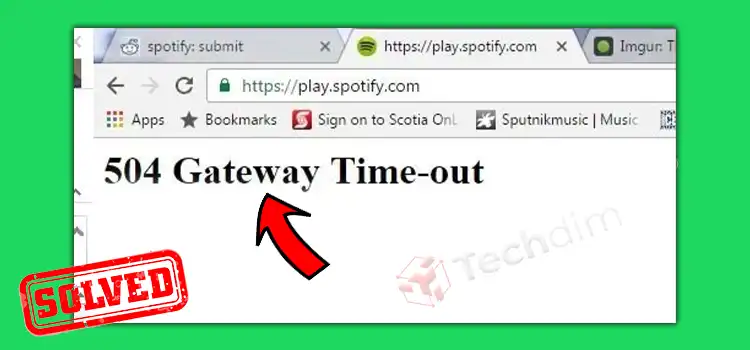
    When trying to access the Spotify web player, the 504 gateway time-out error can be very frustrating. It’s an indication that your device or the web browser simply didn’t get any response from the server it was trying to connect to. Depending on your situation, you can sometimes get other error messages like an internal…

    Read More [9 Fixes] Spotify 504 Gateway Time-outContinue

  • Will DDR5 RAM Work on DDR4 Motherboard
    Hardware

    Will DDR5 RAM Work on DDR4 Motherboard? | Explained 5 Factors

    ByStephen Brown February 4, 2023February 4, 2023

    Looking to improve your system performance? If yes, then you obviously want to upgrade your system memory or RAM. Currently, the best available memory type is DDR5, which is fairly recent. So, chances are you are using a DDR4-compatible motherboard. If you are wondering will DDR5 RAM work on a DDR4 motherboard, the answer is…

    Read More Will DDR5 RAM Work on DDR4 Motherboard? | Explained 5 FactorsContinue

  • Is B550 Compatible with Ryzen 5 3600
    Hardware

    Is B550 Compatible with Ryzen 5 3600 Processor? | Compatibility of Motherboard

    ByStephen Brown February 4, 2023February 4, 2023

    Even since the release of the B550 series motherboards, the market is saturated with options. With its mid-range pricing and well-rounded performance, B550 is a good choice if you lack the budget for the mighty X570 series. The Ryzen 5 3600, on the other hand, is still the best all-around CPU in the market. From…

    Read More Is B550 Compatible with Ryzen 5 3600 Processor? | Compatibility of MotherboardContinue

  • Plantronics Rig Mic Not Working PC
    Hardware | How to

    [6 Fixes] Plantronics Rig Mic Not Working PC

    ByStephen Brown February 2, 2023February 2, 2023

    It doesn’t matter which brand you own, the mic not working is a common issue that is faced by almost every PC user once in their life. If you own a Plantronics rig and suddenly encounter such issues that your mic isn’t working on your PC, then don’t panic, there is no need to toss…

    Read More [6 Fixes] Plantronics Rig Mic Not Working PCContinue

  • How to Use Ethernet Cable on Xbox One
    Hardware | How to

    How to Use Ethernet Cable on Xbox One (Easy Step-by-step Guide)

    ByStephen Brown February 2, 2023February 2, 2023

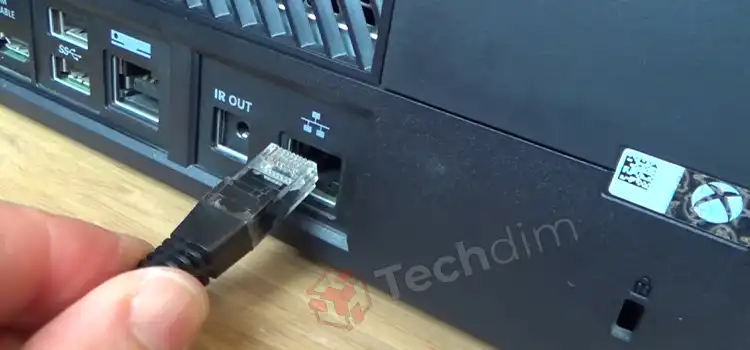
    Connecting Xbox One to the internet using the ethernet cable is always faster and sometimes can be a more convenient option for you. Not to mention, it’s more secure and stable, something that’s a must for lag-free online gaming. If you are wondering how to use ethernet cable on Xbox One, don’t worry. It’s fairly…

    Read More How to Use Ethernet Cable on Xbox One (Easy Step-by-step Guide)Continue

  • How to Add Mods to Witcher 3
    How to | Online

    How to Add Mods to Witcher 3 (2 Methods)

    ByStephen Brown February 2, 2023February 2, 2023

    Witcher 3 has one of the richest modding communities that lets you customize nearly every aspect of the game. By adding mods, you can add extra in-game items, enhance the graphics, or even give an overhaul to the UI (User Interface). In this article, we’ll cover everything on how to add mods to Witcher 3….

    Read More How to Add Mods to Witcher 3 (2 Methods)Continue

  • HTC Vive Base Stations Not Syncing
    Hardware | How to

    [5 Solutions] HTC Vive Base Stations Not Syncing

    ByStephen Brown February 2, 2023February 2, 2023

    HTC Vive base stations’ syncing issue is prevalent among users. If you’re one of them then don’t worry. We’re here with some effective tips that’ll surely help you solve this issue. Sometimes turning your base stations off and then on may resolve the issue, but it’s neither a permanent nor a perfect solution. On the…

    Read More [5 Solutions] HTC Vive Base Stations Not SyncingContinue

  • Why Do Gaming PCs Have Lights
    Hardware | Technology

    Why Do Gaming PCs Have Lights? | Is the RGB light Necessary for Gaming Computers?

    ByStephen Brown February 2, 2023February 2, 2023

    You may’ve noticed that maximum gaming components and gaming PCs come with RGB lights. And naturally, the question may come to your mind why is there a light on the gaming PC? Well, the answer is quite simple. Gaming PCs use lights because they make them look charming and create special effects for gaming. Also,…

    Read More Why Do Gaming PCs Have Lights? | Is the RGB light Necessary for Gaming Computers?Continue

  • Does a Monitor Need a PC
    Hardware

    [Explained] Does a Monitor Need a PC?

    ByStephen Brown February 2, 2023February 2, 2023

    No, not always. You can also use your monitor without a computer. All you need to do is find the appropriate input devices. You have several options for input devices for your monitor. These input devices can range from gaming consoles to laptops to even your television. You must establish a link between your input…

    Read More [Explained] Does a Monitor Need a PC?Continue

  • Display Driver Nvlddmkm Stopped Responding and Has Successfully Recovered
    Windows

    [3 Fixes] Display Driver Nvlddmkm Stopped Responding and Has Successfully Recovered

    ByStephen Brown February 1, 2023July 29, 2023

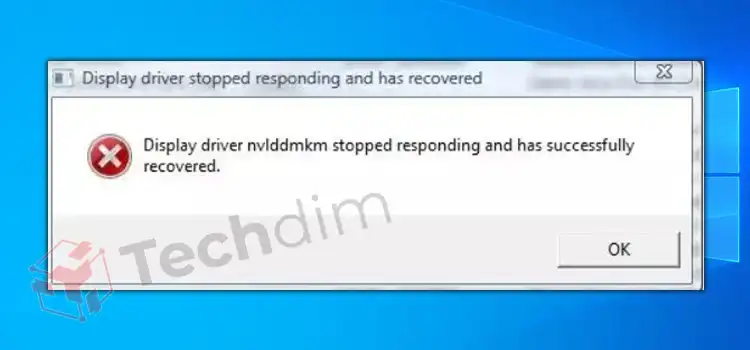
    The Nvlddmkm error message indicates that the display driver, which had stopped responding, has now successfully started responding again. It implies that your video card’s or monitor’s display driver had stopped functioning but had been able to start again properly. You can fix the issue by adopting several methods of fix such as using the…

    Read More [3 Fixes] Display Driver Nvlddmkm Stopped Responding and Has Successfully RecoveredContinue

  • Headphone Jack Only Plays One Side
    Hardware

    [Fix] Headphone Jack Only Plays One Side (100% working)

    ByStephen Brown February 1, 2023February 1, 2023

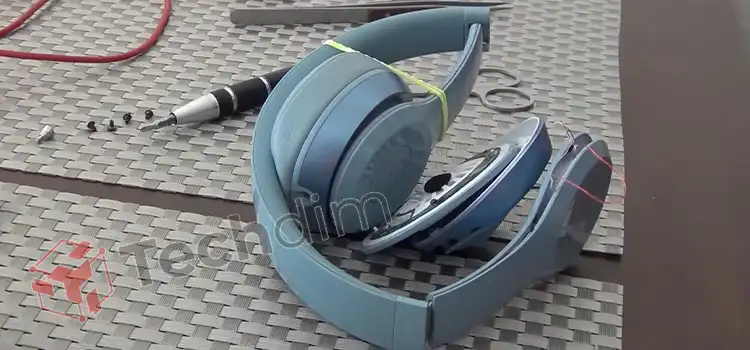
    Headphones are becoming an essential part of one’s life nowadays. Whether you are outside in a busy area trying to get your mind off the chaos or inside your own house wanting to listen to some relaxing music, headphones save the day. Hence, it can feel annoying when one side of the headphones stops working…

    Read More [Fix] Headphone Jack Only Plays One Side (100% working)Continue

  • How to Connect Passive Speakers to Computer
    Hardware | How to

    How to Connect Passive Speakers to Computer? | 5 Easy Steps

    ByStephen Brown February 1, 2023February 1, 2023

    If you can afford all the arrangements, it’s pretty easy to connect passive speakers to your computer. This way you can turn the passive speakers into the computer speaker. As modern computers don’t have quality in-built speakers, you need to buy external speakers to do the job. If you’ve passive speakers to use, you’ll also…

    Read More How to Connect Passive Speakers to Computer? | 5 Easy StepsContinue

Page navigation

Previous PagePrevious 1 … 29 30 31 32 33 … 90 Next PageNext
techdim.com
Join Our Community:

Quick Links

  • About us
  • Privacy Policy
  • Terms and Conditions
  • Contact

Discover Techdim

  • Hardware Optimize your computer setup.
  • Software Streamline functionality and troubleshoot.
  • Solutions Practical fixes for tech issues.

© Copyright 2026 Techdim | All Rights Reserved.

Go to mobile version
  • Home
  • Top Rated Tech 2026
  • Hardware
  • Software
    • Android
    • Windows
  • How to
  • More
    • Technology
    • Difference
    • Artificial Intelligence
    • Online
    • Best Website Builders 2026
Search