Windows PowerShell Won’t Close
If your Windows PowerShell won’t close, perhaps it has been running in the background. For example, if you use PowerShell for executing a C# program, a new window might open each time. Besides, if a program’s input command is set to true, it will keep expecting inputs, preventing PowerShell from closing.
Solving the above issues takes single lines of commands. But generally, you can close Windows PowerShell with an exit shortcut, whether default or customized. In worse cases, you might even have to force close the program with the help of the Task Manager.
Windows PowerShell Won’t Close – How to Close PowerShell Session
Forcing a program to close can cause troubles for your Windows system, especially if it is as essential as PowerShell. So, try these simple tricks to see if the application closes.
Press Alt + Space Followed by C
A common approach to closing a PowerShell session would be pressing the Alt + Space and C keys.
1. First, you have to hold the Alt and Space keys together. Doing so will open the shortcut menu for the current window.
2. Once the shortcut menu arrives, press C to close the active window.
Define Your Own Exit Shortcut
The alt + space method still has two steps, whereas you can reprogram your own shortcut. But remember that you’ll need PowerShell 5.0 or above for this remapping to work. With that out of the way, below are the steps you have to follow.
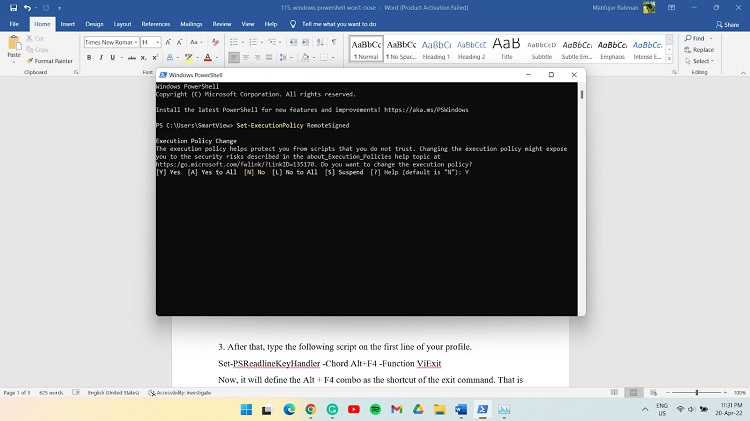
1. First, use the command ‘Set-ExecutionPolicy RemoteSigned’ to tweak PowerShell’s execution policy and set it as admin.
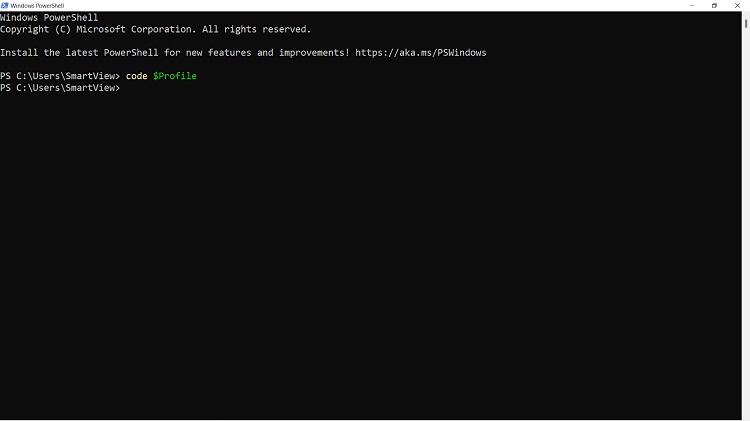
2. Next up, type in ‘code $Profile’ after opening a PowerShell terminal window. It will give access to your PowerShell profile. You can, however, make it work for all users by editing the AllUsers profile located at $PROFILE.AllUsersCurrentHost.
3. After that, type the following script on the first line of your profile.
Set-PSReadlineKeyHandler -Chord Alt+F4 -Function ViExit
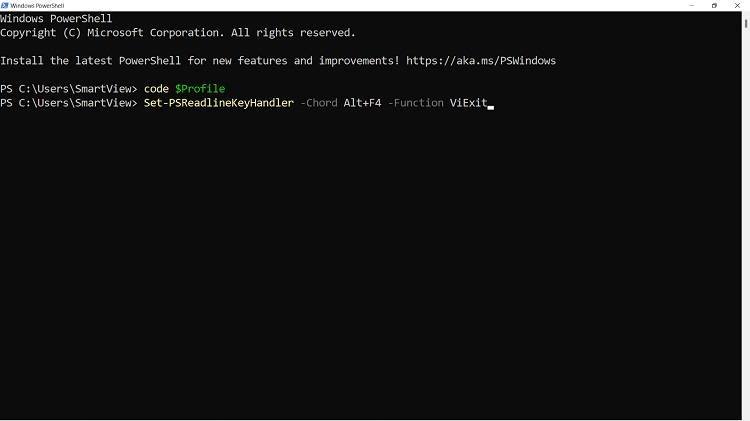
Now, it will define the Alt + F4 combo as the shortcut of the exit command. That is to show how the command works so you can customize the shortcut as per your liking. For example, if you want to set Ctrl + d as your exit shortcut, the command will look like this:
Set-PSReadlineKeyHandler -Chord Ctrl+d -Function ViExit
4. Finally, close PowerShell and open it again to see if the exit shortcut you defined works.
Make Windowstyle Hidden
Sometimes, if you are using PowerShell to run a C# program, it may try to create a new window. As a result, PowerShell might wait for the program to finish its execution. In that case, you won’t be able to close Windows PowerShell in typical approaches. But there’s a way out.
Type in the following line to stop the creation of a new window each time.
Start-Process .\ProductiondataImportNew.exe -Windowstyle Hidden
How Do I Force Close a PowerShell Window
Force closing a PowerShell window will require you to go through the Task Manager app. Here’s how to do it.
1. Press ctrl + shift + Esc to open the Task Manager app.
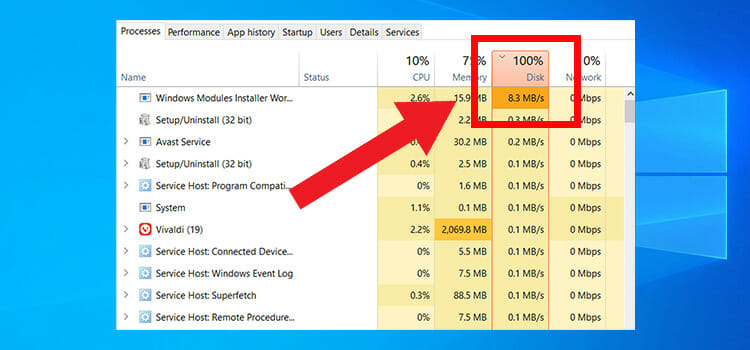
2. At the time of opening, it will already be in the processes tab, showing all the running instances of your programs. While on that page, scroll down and locate Windows PowerShell. Then right-click on it and select End task. It will terminate the program forcefully while closing the PowerShell window.
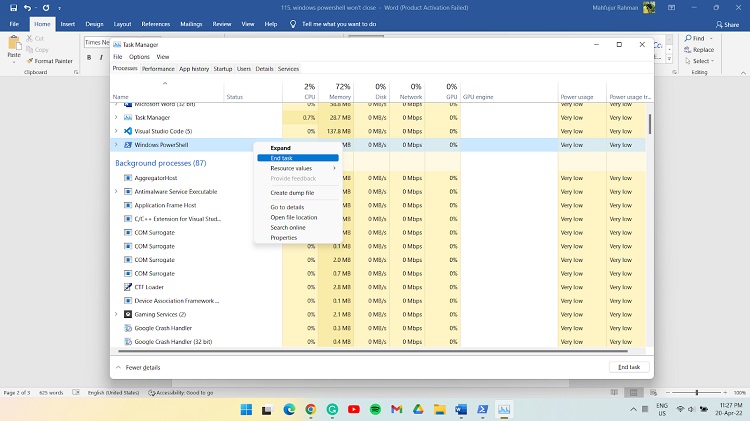
3. After that, search under the background processes tab to see if PowerShell is running. Terminate it as well following the above steps.
Bottom Line
Often, the reason is pretty simple why Windows PowerShell won’t close. For example, it might be because Startinfo.RedirectStandardInput is set to true if you use PowerShell for writing shell scripts. So, resetting it to false will help you close the window without problems.
Subscribe to our newsletter
& plug into
the world of technology