
Best Windows 10 Themes 2024 – You May Grab One
Feeling like your PC is getting older? If you are a Windows 10 user, then you can make your PC to feel more attractive by applying a new colorful theme. You will find some words related to best windows 10 themes in this article. We will talk also about third party windows 10 themes, are they up and running smoothly with windows 10 or not.
How to change windows 10 themes:
Different types of windows 10 themes available in the web from different creators. Microsoft itself creates windows 10 themes and there are some third party developers also develop this awesome masterpieces to beautify your pc. Let’s know how to change them one by one.
How to Change Windows Themes from Microsoft
- Download your desired theme from Microsoft website.
- Double click on your downloaded ‘.themepack’ file.
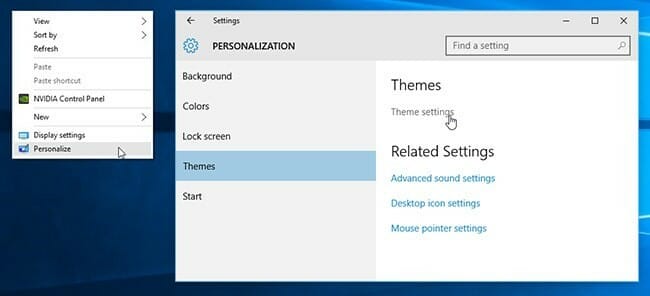
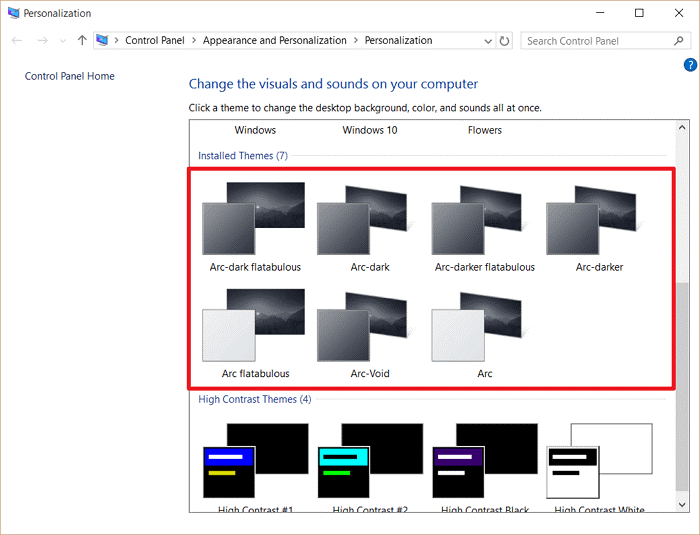
- Right click on free space of desktop and go to Personalization->Theme->Theme settings. Here you can find some defaults themes and your downloaded themes. Just click on the icon of the desired theme you want to apply and it will be done.
How to Change Third Party Windows 10 Themes
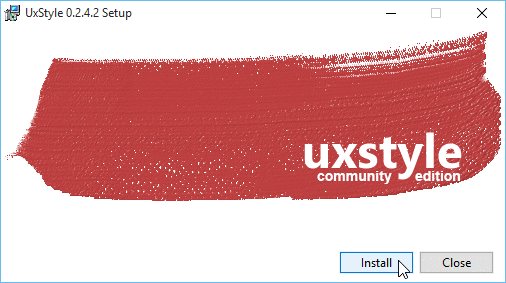
- At first, go to UxStyle website and download the latest build of windows 10 compatible version. Right click on the .exe file of Uxstyle and select Run as administrator and then click install.
Things to keep in mind for Windows 10 themes:
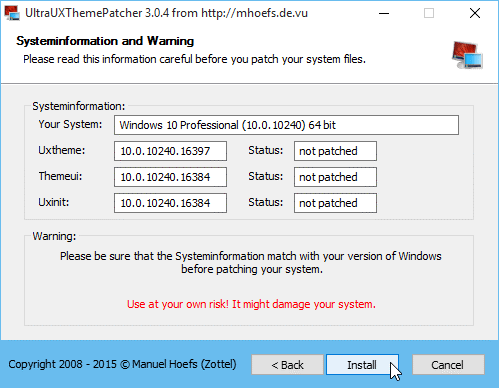
If you install and use any Microsoft theme provided by Microsoft, then it will purely secure. But if you use any third-party app, you have to make sure that the build number of that theme and your PC’s build number are same. If you forget to check this and install any third-party theme that doesn’t match with your PC’s build number, then it can make a serious problem. For safety, you should create a restore point before installing any third-party theme. The process is given below:
Step-1:
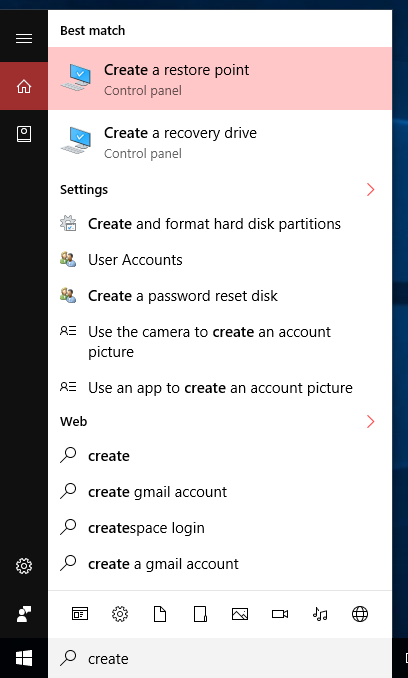
Search ‘restore point’ in the search box and click on it after appearing.
Step-2:
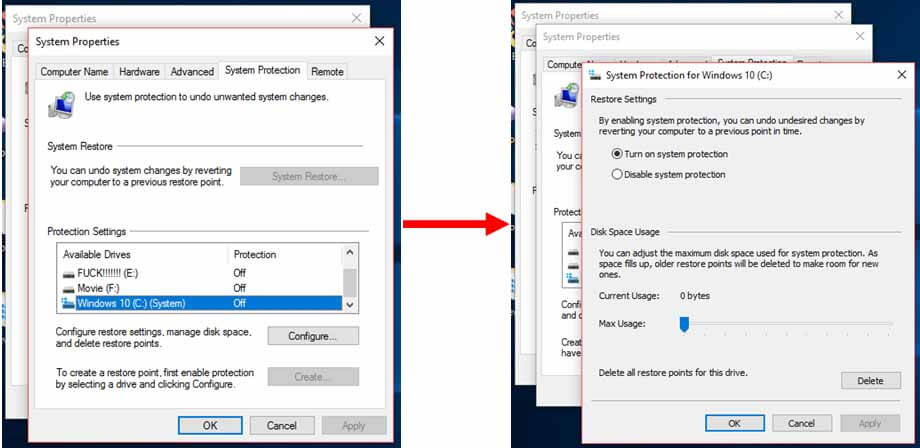
Check your C drive protection is on or off, if off, then click configure and make it on.
Step-3:
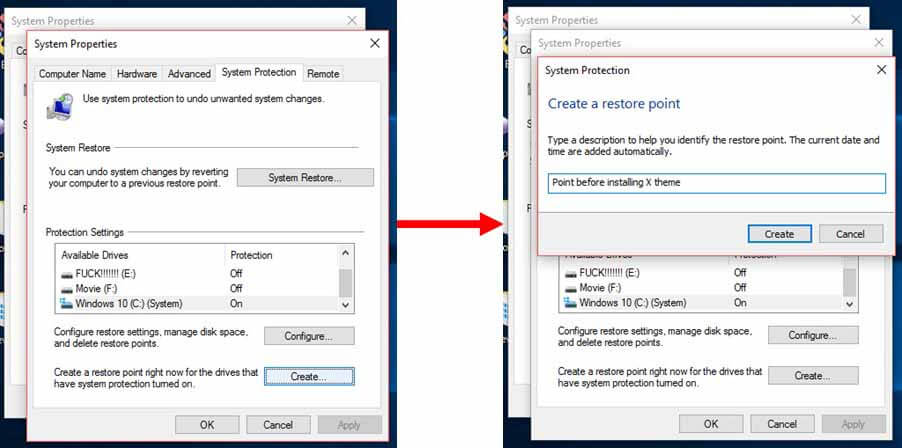
Click create and write a description, like ‘Restore point before installing X theme’ and click create. You are done.
Best windows 10 themes:
Some great Microsoft and Third-Party theme are shown below, but you will find more stunning themes across the internet.
Theme One: Panoramic Mountains
Microsoft stores some themes labeled panoramic (dual monitor). If you use two Display Monitors on your PC, then panoramic themes will span both displays.’ Panoramic Mountains’ is mainly for dual monitor users, but it is also great with one monitor.
You will find several great mountain scenes in this Microsoft theme that surely makes your dual and single display beautiful.
Download Link: Click Here

Theme Two: Cats Everywhere
This is a Microsoft theme. There are 10 images of cats here. If you install this theme, you will see cats everywhere inside your PC! If you are a cat lover, then you will find this Microsoft theme great.
Download Link: Click Here

Theme Three: Nasa Hidden Universe
This Microsoft theme has 14 images of outer space snapped by Nasa. These images are stunning. If you are a sky lover, you will surely find this theme fabulous.
Download Link: Click Here

Theme Four: Panoramic Cityscapes
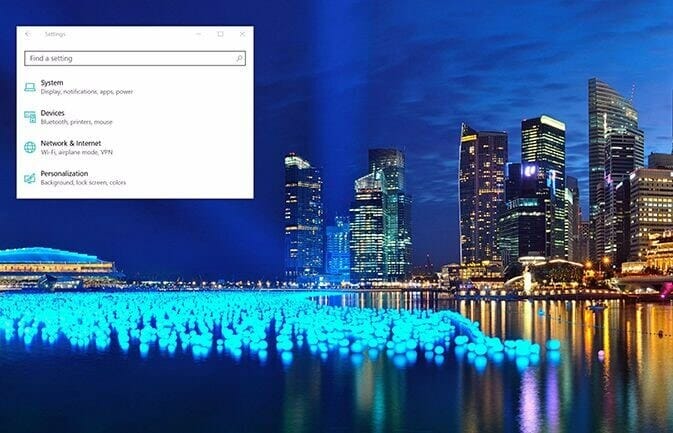
This panoramic Microsoft theme is mainly designed to stretch across dual monitors but it also looks great on one monitor. There are 7 images in this theme. These images are colorful and bright.
Download Link: Click Here
Theme Five: Surreal Territory
This is a Microsoft theme. There are 6 images in this theme. These 6 images have been made so colorful with rainbow retouching.
Download Link: Click Here

Theme Six: Penumbra
It’s a third party theme by scope 10. To use this theme, your system should be patched as described above. It’s a dark theme. It is great theme for night usage. You will not find any irritating color in it. It is made with neutral dark colors.
Download Link: Click Here

Theme Seven: Flattastic
It’s a third party theme by Cleodesktop. Here you will find Flattastic and FlattaDark version. There are variations of colors here like orange, pink, blue, green. If you are a dark theme lover, then you can install FlattaDark version. It’s outlook is fantastic.
Download Link: Click Here

Theme Eight: Ades
This is a third party theme by unisira. You will find light dark color here. It is made with various shades of gray and mixed some other colors with it. You will find it great like others.
Download Link: Click Here

Theme Nine: Arc
It’s a third party theme by neiio. You will find variations like white and black version of Arc. Its black version is better. The background is light dark and the icons, menu bars etc are colorfully emerged in different colors like orange, light pink etc. Its white version is also fine with its durable outlook.
Download Link: Click here

Theme Ten: Seda
It’s a third party theme by unisira. It has two versions, dark and light menus. You will also find white menu version of it. It’s dark version is not totally dark but there are light grays mixed with it. In its context menu, dark gray is used, which makes this theme more beautiful.
Download Link: Click Here

We talked a lot about windows 10 cool features on another article. You can go through that.
Theme Eleven : Nocturnal W10
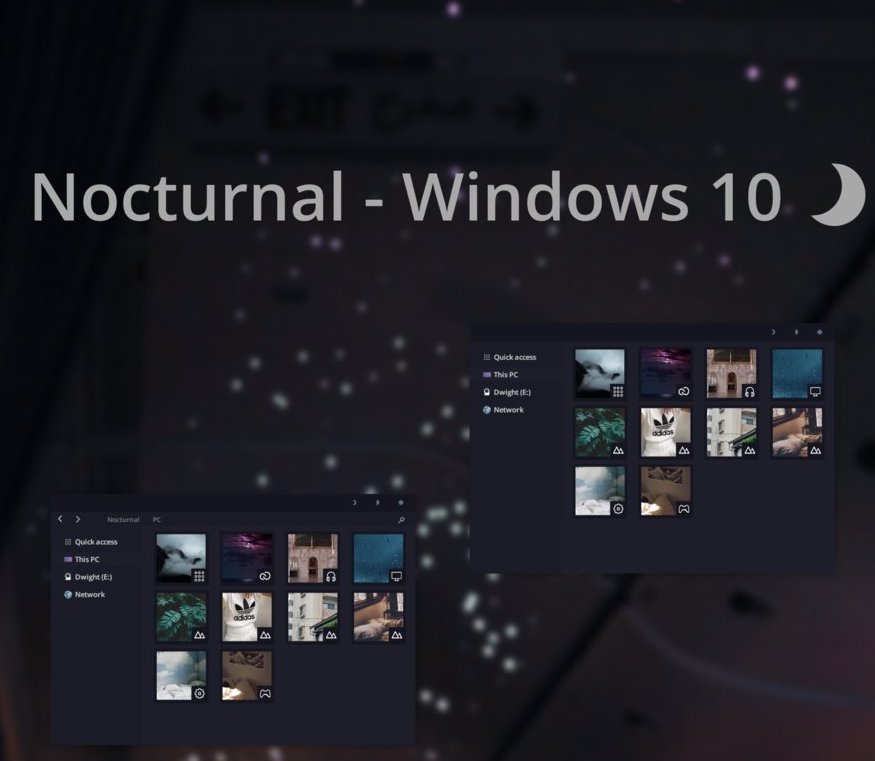
This is a third party dark theme. You can customize this theme as your wish like you can edit title bar name, color, fonts etc. This theme will give you the real taste of dark themes as you expected. But installing process is a lil bit complex. Just follow my above mentioned instructions to get things completed smoothly.
Download link : Click here
Theme Twelve : Ades
This is a third party theme by unisira. You will find light dark color here. It is made with various shades of gray and mixed some other colors with it. You will find it great.
Download Link: Click Here
Theme Thirteen :DarkGrey Theme
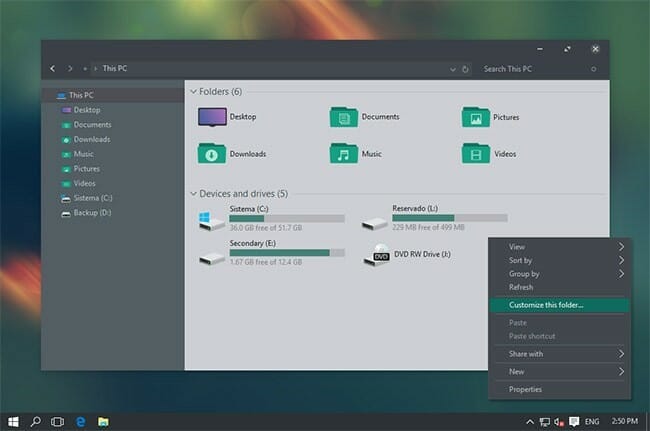
This is another amazing third-party dark theme. This is just awesome. I like these personally because of its simple installation process. If you want to get things done easily, then you should try this one. This theme makes your whole display black as you wanted.
→ You don’t have to go with my above mentioned installation process for third party themes. Just download the files and copy them to this directory→
User/AppData/Local/Microsoft/Windows/Themes
Now you will find this theme in your default themes list.
See, as i said, you need no third party app to install this theme. So simple, huh?
Download Link: Click Here
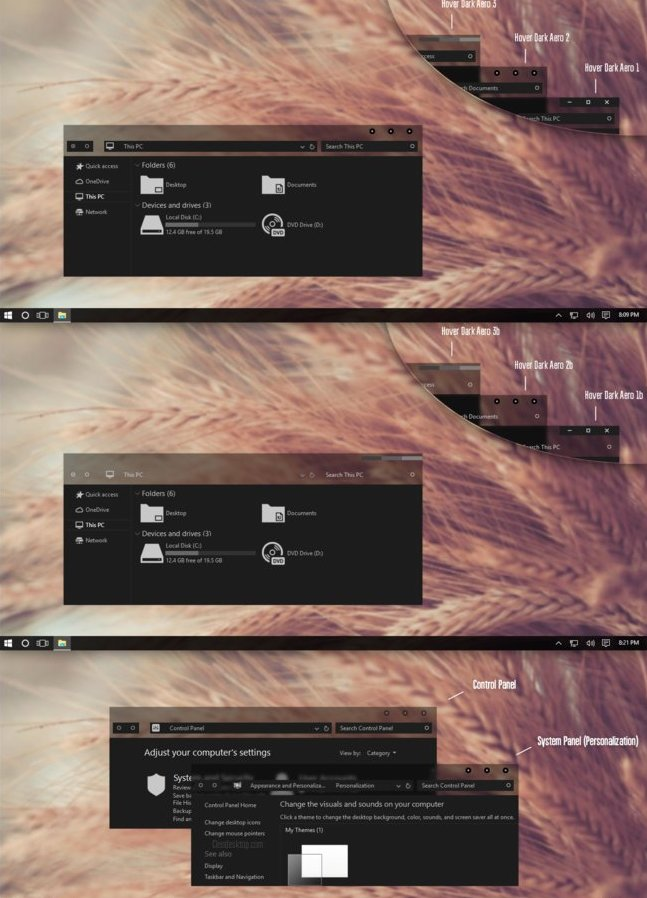
Theme Fourteen : Hover Dark Aero
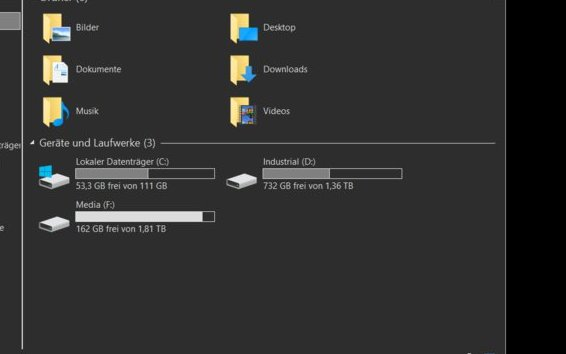
This is another beautiful third party dark theme. Its outlook is more attractive. Its installation process is also simple. Many dark themes’ appearance seem messy because of improper color management. In this theme, you will get a fresh and clean look everywhere.
Download Link : Click Here
Conclusion:
Microsoft has a vast storage of many beautiful themes and gives you access to use Third party themes or own created themes. Those above themes can help you to make your PC’s screen beautiful and alive.
- How to change windows 10 themes:
- Things to keep in mind for Windows 10 themes:
- Best windows 10 themes:
- Theme One: Panoramic Mountains
- Theme Two: Cats Everywhere
- Theme Three: Nasa Hidden Universe
- Theme Four: Panoramic Cityscapes
- Theme Five: Surreal Territory
- Theme Six: Penumbra
- Theme Seven: Flattastic
- Theme Eight: Ades
- Theme Nine: Arc
- Theme Ten: Seda
- Theme Eleven : Nocturnal W10
- Theme Twelve : Ades
- Theme Thirteen :DarkGrey Theme
- Theme Fourteen : Hover Dark Aero
- Conclusion:
Subscribe to our newsletter
& plug into
the world of technology



Hey, there would you mind letting me know which web host you’re using? I’ve loaded your blog in 3 different browsers and I must say this blog loads a lot faster then most. Can you recommend a good hosting provider at an honest price? Thanks a lot, I appreciate it!
Thanks for your comment.
I use exonhost.