
How to Add Another Sim in Sims 4 (Simple Steps)
You can add another Sim in Sims 4 in multiple ways. You can simply create a new Sim, create a family, or add a random Sim to your household. Alternatively, you can ask a Sim to join your household. There are different cheats available as well for making your life easier in Sims 4.
But the topic at hand is how a player can execute these different methods. You do not need to worry as this article has got you covered. We will show you how easily and effortlessly you can add another Sim in Sims 4.
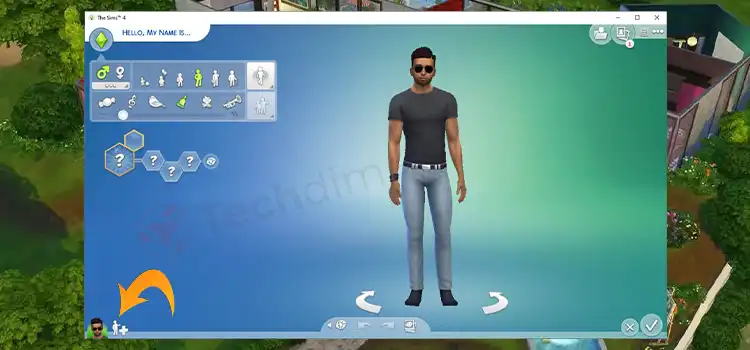
Guide to Add Another Sim in Sims 4
The Sims 4’s family-based gameplay involves creating households and inviting Sims to join them. In The Sims 4, there are various ways to include a sim in your household. They will be discussed in the following.
1: Creating a Sim
You can make a brand-new Sim join you or any Sims you may already have. This is similar to how you had to do with your initial Sim back in the game’s beginning.
You must make a new Sim in an empty lot in order to accomplish this. Once that Sim has been established, you must utilize the “Manage Families” option in the map view and combine the two households.
Next, click the Sim and household you want to relocate, then click the existing Sim to unite them. When seeking a companion for their Sim, some people choose to do it in this manner.
In order to create their own Sims love story, they can make them as entirely compatible as possible. You can also create a brand-new household with multiple Sims and combine it with your current one to create a larger family.
2: Merging Households
By using your current household while the game is open and clicking the gallery button, you can merge a sim that is unrelated to it with your household. Browse your library or the gallery to choose the Sim you want to add.
In the sim’s profile box, click the “Place Household” button to bring up a pop-up asking. That is if you want to combine the households. Once you confirm it, the new sim will be promptly added to your home.
3: Making a Family
Sims 4 places a lot of emphasis on romance. One of the more natural ways of growing your family is through creating your love tale. You can do that by making two Sims fall for each other and inviting them to move in with you.
This can be done regardless of whether they are different Sims you have made or ones who are already in the game. Regardless, create your own family from there to live in a vibrant home with several generations of family members.
4: Asking a Sim to Join the Household
Through gameplay, you can include a sim in your home more easily. To activate the friendly interaction known as “Ask to Join Household,” merely get to know the sim in question and increase the friendship meter slightly past the halfway point. The screen to merge households will next appear, allowing you to move money and Sims across households.
Take lots of photos of the target Sim to earn friendship points and enable this interaction. This effortlessly raises the threshold for friendship. Cloud watching will also swiftly raise the bar for friendship.
When you have reached this stage, engage with the Sim you want to move into and select “Ask to Move In” from the friendly category. If the Sim you have chosen to move in has a baby, toddler, or child, they will move in as well given that their previous home does not have a teen or older.
5: Through Cheats
You can simply cheat a sim in sim 4 into your household if you would prefer to skip past gameplay entirely. You must first enable cheats in your game before you can add a sim you find in the wild. For a console, press all four triggers, or on a PC, type CTRL + Shift + C.
Next, you have to type: “testingcheats true”. Simply keep Shift pressed as you right-click on any sim you choose, and the option to “Add to Family” will appear. The Sim will be instantly joined to your household after you click this.
Modifying your friendship level with another sim is also possible through cheats. The cheat goes like this: modifyrelationship [full name of the first sim] [full name of the second sim] [number] Friendship_main.
How Do I Add Another Sim to My Household in Sims 4
Browse your library or the gallery to choose the Sim you want to add. In the sim’s profile box, click the “Place Household” button and it will bring up a pop-up.
The pop-up will ask if you want to combine the households. Once you confirm it, the new sim will be promptly added to your home.
Can You Have Multiple Sims in Sims 4
Yes, you can have multiple Simple in Sims 4. The Sims 4’s versatility makes it great for playing either with a single Sim or a single family. Moreover, you have the option of playing with one family continuously or switching between many. This versatility makes it incredibly useful.
How Do You Add a Custom Sim in Sims 4
Any downloadable custom content and mods for The Sims 4 must be manually enabled through the in-game interface. To add a custom Sim in Sims 4, press ESC, select “Game Options”, and then “Other.”
Now you have to enable your custom content. To do it, choose “Enable custom content and mods” and “Script mods Allowed” from there.
Conclusion
In Sims 4, the game gives you full freedom in how your family grows. You can create new members or invite friends to live with you and create a friendship bubble. As explained earlier, there are many ways to add a Sim in Sims 4. Therefore, it is totally upon you how you want to play the game.
Subscribe to our newsletter
& plug into
the world of technology